Latest
Oct 27 · 42.22 pre-release: ladders and crowbar break-insOct 21 · The Indie Stone on Java mods: download responsiblySep 28 · Build 42.21 Stable: zombie duplication fixesAug 26 · Security fixes on every branchAug 17 · Servers now handle up to 254 playersJul 29 · Build 42 goes Stable

Project Zomboid on Linux

Project Zomboid has a native Linux build, is Steam Deck Verified and runs its dedicated server on Linux. Here is how to set it up, tune it and host it, plus what developers can learn from how The Indie Stone does Linux. Updated November 2026. Part of our Linux games list.

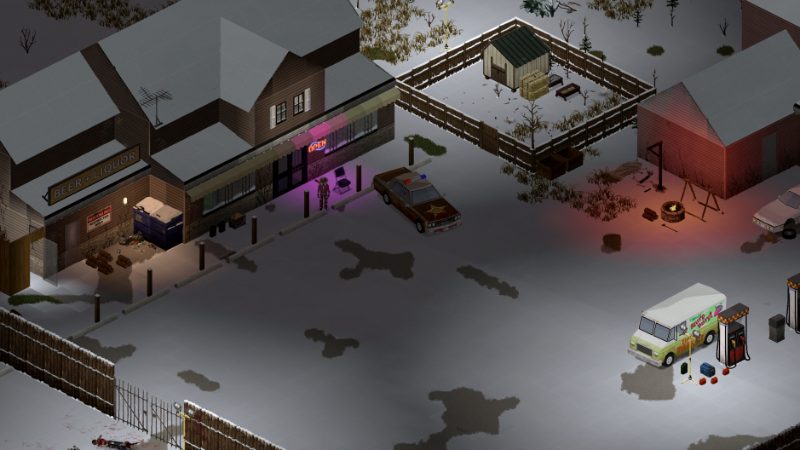
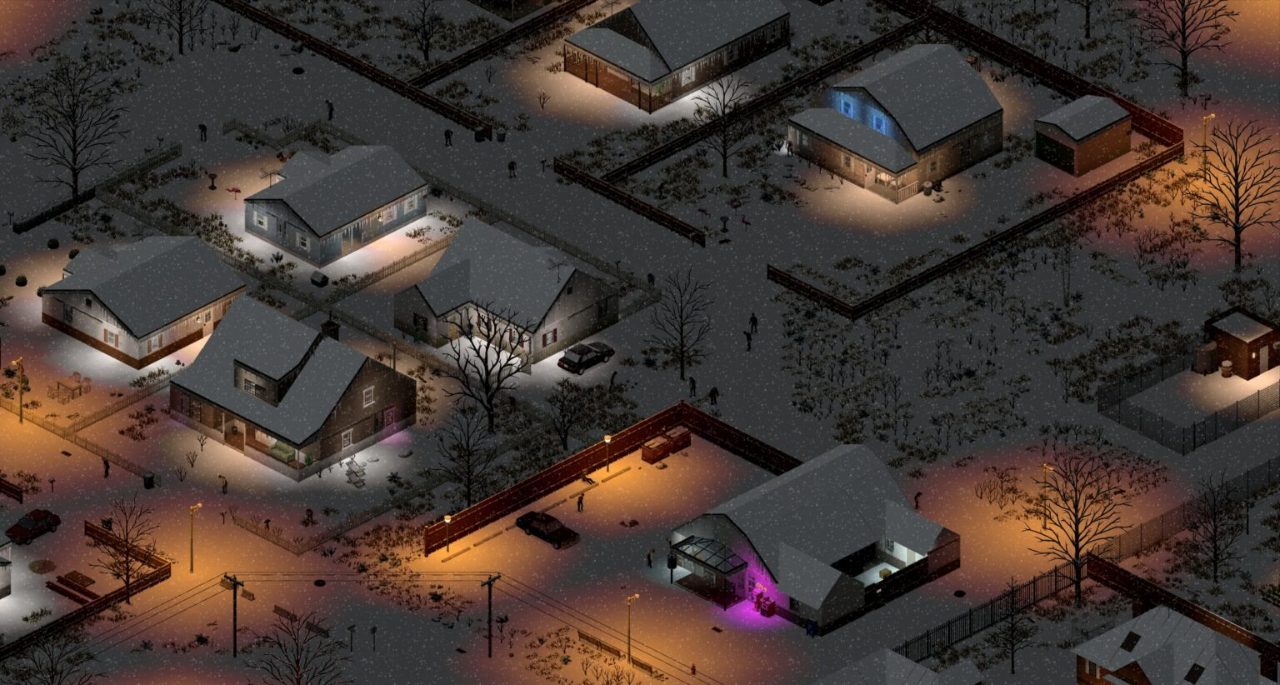
A snowy Knox Country town at night
Project Zomboid Build 42, running natively on Linux · Official image, The Indie Stone
01Scorecard

Project Zomboid on Linux: the scorecard

Native Linux build

Yes. No Proton needed on a Linux desktop.

Steam Deck

Verified since 2023.

Engine

Java, with its own Java runtime bundled in the game folder. Nothing extra to install.

Dedicated server

Native Linux server through SteamCMD (app 380870).

Wayland

Supported as an opt-in JVM option.

Build 42

Ships on Linux on the same day as Windows and macOS, on both Stable and Unstable branches.

Verdict

Flawless. Install from Steam and play.
02Tests

How it does on our four tests

Runs natively or flawlessly

Pass. Native Linux build with its own bundled Java runtime.

Steam Deck Verified

Pass. Verified since 2023.

Hosts on Linux

Pass. Native Linux dedicated server through SteamCMD (app 380870).

Survives updates

Pass. Build 42 ships on Linux the same day as Windows and macOS, on both the Stable and Unstable branches.

Four out of four. Project Zomboid was the first game on our list, and the one the others are compared with.

03Setup

Installing on a Linux desktop

  1. Install Steam from your distribution's package manager or Valve's site.
  2. Install Project Zomboid. Steam picks the native Linux build automatically.
  3. Launch it. Settings and saves live in ~/Zomboid.
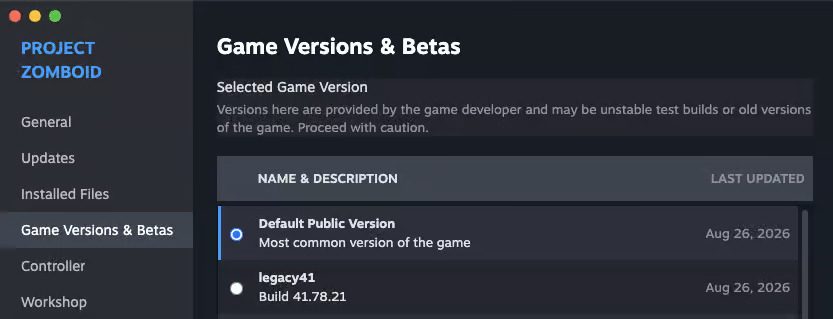
  4. To stay on Build 41, right-click the game, choose Properties, then Game Versions & Betas, and pick legacy41.

Do not force Proton on a Linux desktop. The native build is the one The Indie Stone tests.

04Tuning

Giving the game more memory

The client reads its Java settings from a JSON launcher file in the game folder (Steam > Manage > Browse local files). Its vmArgs list holds the memory flags.

Default

-Xms1800m and -Xmx2048m, about 2 GB.

8 GB of RAM

Stay near the default, or add up to 1 GB if you need it.

16 GB of RAM

4 GB (-Xmx4096m) is a common setting.

32 GB or more

4 to 8 GB, only if you measure a need.

  • Close the game and back up the file before editing.
  • Change -Xmx only, keep the JSON valid, then relaunch.
  • Steam launch options are not a reliable way to set memory.
  • Updates can restore the file, so check it after big patches.
  • Hosting from the game uses its own server memory setting (about 4 GB by default).
05Tuning

Native Wayland

  • Since Build 42 the Linux version can run natively on Wayland.
  • It is off by default. Turn it on with the JVM option -Dzomboid.wayland=1.
  • Because it is a JVM option, it goes in the vmArgs list of the JSON launcher file, not in Steam launch options.
  • Without it, the game runs through XWayland, which works fine for most people.
06Tuning

Useful launch parameters

-debug

Starts in debug mode. Handy for modders.

-safemode

Lower resolution and fewer effects for weak GPUs.

-nosound

Turns off audio.

-nosteam

Runs without Steam.

-cachedir=<path>

Moves the Zomboid data folder.

-modfolders

Chooses where mods load from: workshop, steam, mods.

+connect <ip:port>

Joins a server directly. Add +password if it has one.

JVM options (-Xmx, -D...) go before the -- separator; game options go after it.

07Deck

Steam Deck setup

Verified, and it runs well with a few changes.

Display

1280 × 800, VSync off, in-game cap 60 FPS (90 on OLED), zoom 90%.

Graphics

Anti-aliasing, bloom and shadows low or off; particles low; weather medium; texture compression and multi-core rendering on.

SteamOS

60 FPS limit, 60 Hz, 8 W TDP, half-rate shading off.

Performance

About 55 to 60 FPS in hordes, driving and rain with these settings, versus 35 to 55 on defaults.

Battery

About 4 to 5 hours on LCD and 6 to 7 on OLED, versus 2.5 to 3 on defaults.

  • Controller support is partial. Try a community layout, or use the right touchpad as a mouse cursor.
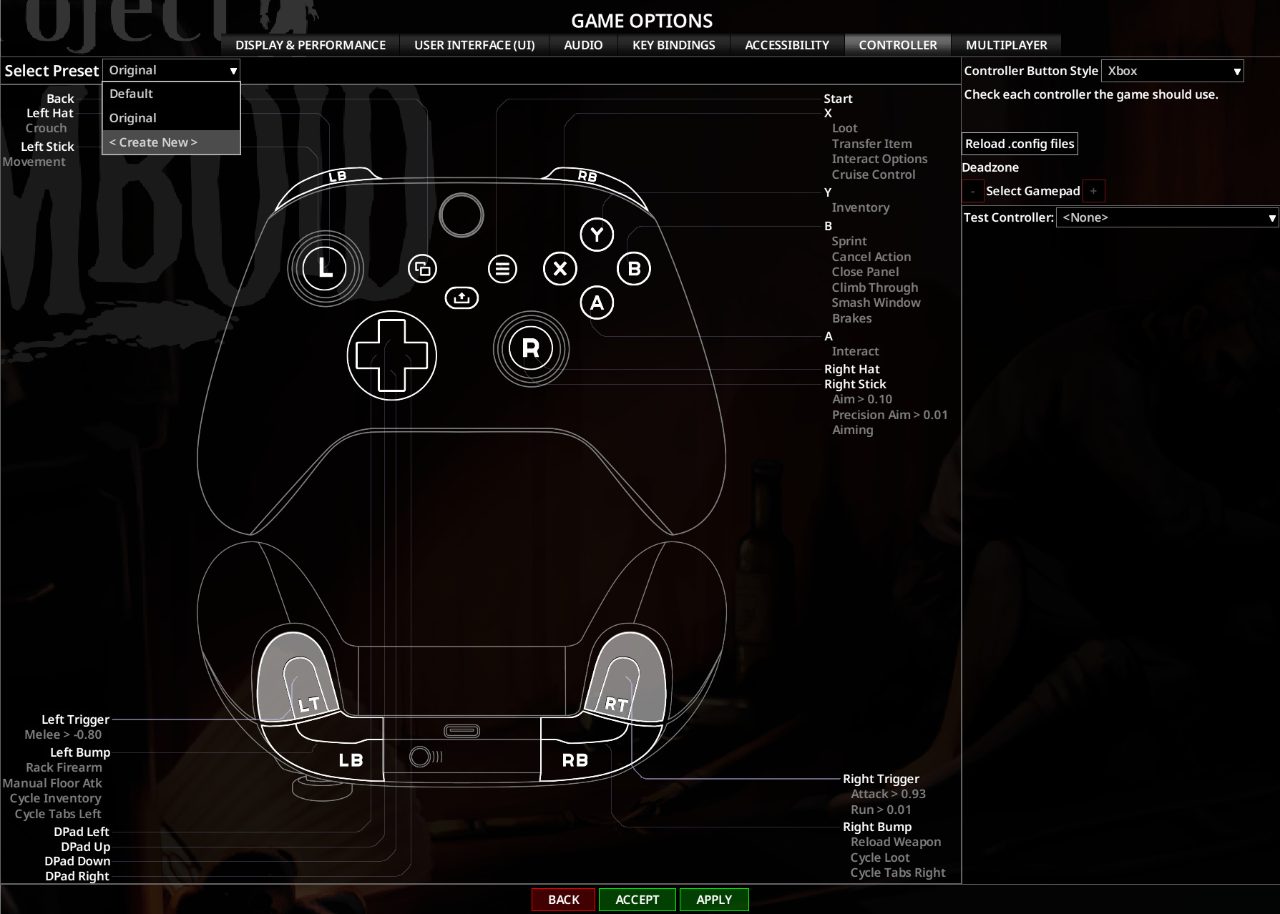
  • Since 42.19 you can remap every button in game.
  • Multiplayer works. Heavy mod lists (50+) can push the Deck toward its 16 GB limit.
  • Steam Cloud syncs saves between your Deck and PC. Play on one at a time.
  • Black screen on launch? Set Properties > Compatibility to Proton Experimental.
08Hosting

Linux dedicated server

  • Install with SteamCMD: steamcmd +force_install_dir /opt/pzserver +login anonymous +app_update 380870 validate +quit. You do not need to own the game.
  • Start with ./start-server.sh -servername myserver, and stop with quit.
  • Open UDP 16261 and 16262 in your firewall.
  • Give the server at least 6 GB of heap and leave 3 GB for the system.

Full walkthrough in hosting a server.

09Fixes

Known Linux issues

Desktop icons missing

Fixed in 42.20 for Linux and Mac.

Wayland off by default

Turn it on with the JVM option above.

Black screen on Steam Deck

Use Proton Experimental.

Workshop mods missing

Verify game files, then restart Steam.

Stutter in rain or fog

Lower weather effects, or wait a few seconds for it to settle.

10Files

Where everything lives on Linux

Project Zomboid keeps all of your own data in one folder in your home directory, which makes backups easy.

WhatWhere
Saves~/Zomboid/Saves/, one folder per game mode, then one per world
Local mods~/Zomboid/mods/
Server settings~/Zomboid/Server/: servertest.ini and servertest_SandboxVars.lua for the default server name
Last session log~/Zomboid/console.txt, the first thing to read when something breaks
Older logs~/Zomboid/Logs/
Workshop downloads~/.local/share/Steam/steamapps/workshop/content/108600/

To back up everything, close the game and copy the whole ~/Zomboid folder. If you use the Flatpak version of Steam, the Workshop folder sits under ~/.var/app/com.valvesoftware.Steam instead.

11Mods

Mods on Linux

Mods work the same on Linux as on Windows: they are files the game loads, not programs for one operating system.

  1. Subscribe on the Steam Workshop. Steam downloads the mod next time it runs.
  2. Turn it on in the Mods menu on the main menu, then check it is ticked in the world’s own mod list when you start or load a save.
  3. Match the build. Mods made for Build 41 do not load in Build 42. Use mods that list Build 42 support, or stay on the legacy41 branch for an old modded save.
  4. On a dedicated server, list the mod IDs on the Mods= line and the Workshop IDs on the WorkshopItems= line of servertest.ini. Players download them when they join.

Some mods include Java code that replaces parts of the game. Java runs with your user’s rights, so only install Java mods from authors you trust. See our news on The Indie Stone’s advice.

12News

Build 42 on Linux: recent updates

Every one of these updates reached Linux on the same day as Windows. Full details are in our patch notes and news.

  1. July 29, 2026: Build 42 goes Stable. The new build became the default on Steam for every platform, Linux included. Build 41 stays available as legacy41.
  2. August 17: servers handle up to 254 players. Good news for anyone running a big Linux dedicated server.
  3. August 26: security fixes on every branch. Update your Linux server as well as your game.
  4. September 28: Build 42.21 Stable. Fixes for zombie duplication.
  5. October 21: The Indie Stone on Java mods. Download them responsibly: Java mods run with your user’s rights on Linux too.
  6. October 27: 42.22 pre-release. Ladders and crowbar break-ins are on the way.
13Devs

For developers: how Project Zomboid does Linux

  • One codebase, three platforms. The game is written in Java and ships its own Java runtime, so the same build runs on Windows, macOS and Linux.
  • Native windowing. Wayland support is behind a single JVM flag, so it can be tested without affecting other players.
  • Servers on Linux first. The dedicated server is the same Java app, installed by anonymous SteamCMD login and started with a shell script.
  • Modding is Lua. Only Lua mods are officially supported, and they run the same on every platform. Put your own mods in ~/Zomboid/mods and test with -debug.
  • Tools on the way. The Indie Stone plans to release WorldZed and TileZed (mapping) and AnimZed (animation) after Build 42 Stable.
  • Patch the same day. Security fixes in 2026 shipped on Stable, Unstable and Legacy at once, Linux included.

Lesson for developers: ship a bundled runtime, keep the server headless and scriptable, and support Wayland as an opt-in first.

14Gallery

Screenshots

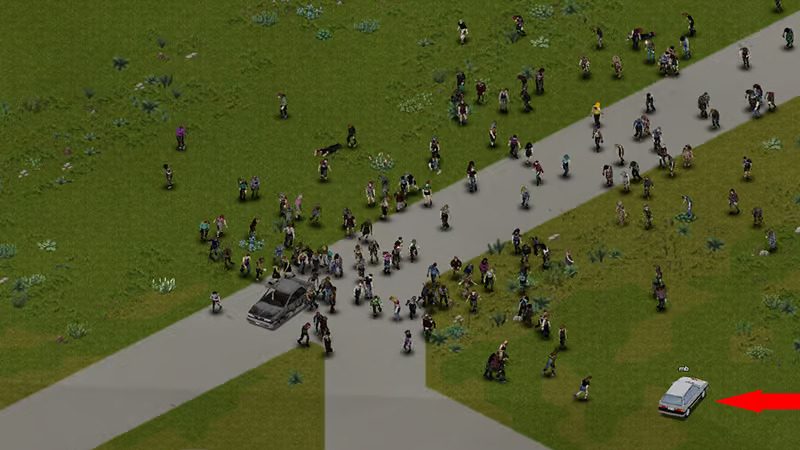
A horde crossing a field
A horde on the move · Official image, The Indie Stone
A snowy town at night
Nights and winter: stay inside · Official image, The Indie Stone
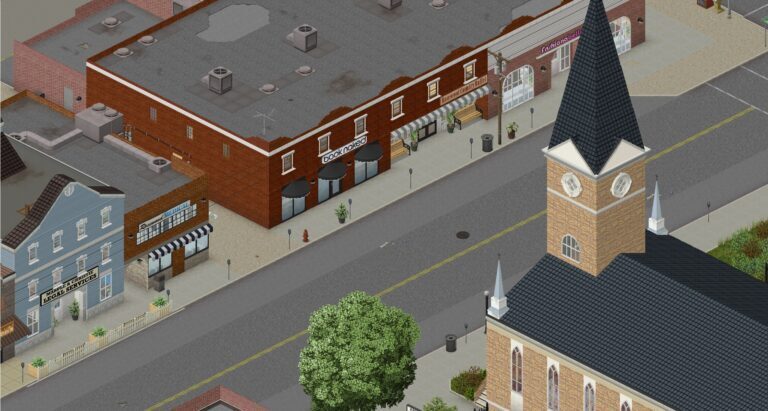
A rebuilt town street with a church
A rebuilt town centre in Build 42 · Official image, The Indie Stone
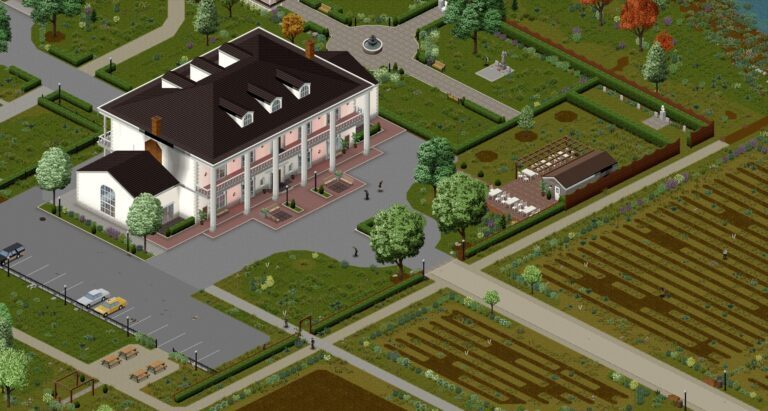
A farmhouse with crops
Farms: fresh food and seeds · Official image, The Indie Stone
The controller remapping screen
Controller remapping arrived in 42.19, handy on the Steam Deck · Official image, The Indie Stone
Steam Game Versions and Betas window
Steam: pick legacy41 to stay on Build 41 · Official image, The Indie Stone
?Q&A

Quick answers

Does Project Zomboid run on Linux?

Yes. It has a native Linux build on Steam, so Proton is not needed on a Linux desktop.

Is Project Zomboid Steam Deck Verified?

Yes, since 2023.

Can I host a Project Zomboid server on Linux?

Yes. The dedicated server installs through SteamCMD with an anonymous login and runs from start-server.sh.

Does Project Zomboid support Wayland?

Yes, as an opt-in. Add -Dzomboid.wayland=1 to the JVM options in the launcher JSON file.

Where are my Project Zomboid saves on Linux?

In ~/Zomboid/Saves/, one folder per game mode. Copy the whole ~/Zomboid folder to back up saves, mods and server settings together.

Do Build 41 mods work in Build 42?

No. Build 42 needs mods made for it. Keep old modded worlds on the legacy41 branch.

Where is the Project Zomboid log on Linux?

~/Zomboid/console.txt holds the log of the last session.

Added November 2026: file locations from the native Linux build; Workshop app ID 108600; mod steps from the Steam Workshop and the in-game Mods menu.