Latest
Oct 27 · 42.22 pre-release: ladders and crowbar break-insOct 23 · First-person mods are not officially supportedOct 21 · The Indie Stone on Java mods: download responsiblySep 28 · Build 42.21 Stable: zombie duplication fixesAug 26 · Security fixes on every branchAug 17 · Servers now handle up to 254 playersJul 29 · Build 42 goes Stable

Multiplayer

Build 42 rebuilt multiplayer on a server-authoritative model and, since 42.20.3, lets up to 254 players share Knox Country. This is the player’s side: joining, claiming a safehouse, factions and war, PvP, chat and voice. Running your own server is covered in hosting a server. Updated for Build 42.21, November 2026.

A crowded nightclub interior
Other survivors: the best and worst thing on the map
01Part

What changed in Build 42

Server-authoritative

The server now runs inventories and every timed action; your client mostly draws the picture. Cheating and desync are much harder.

Timeline

Back on Unstable in 42.13 (11 December 2025), Stable with 42.20 (29 July 2026), 254 players from 42.20.3 (17 August).

Anti-cheat

Checks for speed, hits, noclip and inventory, with the response chosen by the server owner.

Roles and war

Custom admin roles replace fixed levels, and factions can now declare war.

Server browser

Filters for modded, full and empty servers, sorting by ping and players, and since 42.21 the last wipe date.

No crossover

Build 41 and Build 42 servers, clients and saves cannot mix.

02Part

Joining a server

  1. Main menu, Join: pick from the browser or favourites, or enter the IP and port (default UDP 16261).
  2. Create an account: a username and password for that server only.
  3. Your game must be the exact same build as the server. Workshop mods the server uses download automatically.
  4. Or join a friend through Steam invites. To host for friends, start from Host on the main menu, then Escape, Invite Friends.

Most servers wipe on a schedule. Check the last wipe date in the browser before you invest a month in a base.

03Part

Safehouses

A safehouse is a claimed building that only you and your members can use. Whether players can claim at all is up to the server.

  1. Clear the building of zombies and other players.
  2. Stand on an inside floor, right-click and choose Claim Safehouse.
  3. Add friends with the safehouse panel or /addtosafehouse.
SettingDefaultWhat it means
Player safehousesOffNobody can claim until the owner turns it on
Allow trespassOnOthers can walk in
Allow lootOnOthers can take things
Allow fireOnFire can spread in
Removal time144 hoursInactive claims expire
Prevents loot respawnOnYour house will not refill

With the defaults a claim protects little. Good servers turn trespass and loot off.

04Part

Factions and war

Factions are named groups with a tag over your head. Create one from the faction panel; ownership can be handed on. Since Build 42 factions can declare war: an accepted war switches off safehouse protection on both sides for its duration (default one hour after a ten-minute delay), and refusing too often costs points and eventually protection. War is off by default.

05Part

PvP and the safety system

If the server allows PvP and runs the safety system, each player toggles their own PvP with the skull icon. Switching takes a couple of seconds, with a cooldown, so you cannot flick it on mid-fight. PvP events are logged for admins. 42.22 moves PvP damage fully onto the server.

06Part

Chat commands and voice

CommandSends to
/allEveryone on the server
/sSay: people near you
/yYell: further, and zombies hear it
/w nameWhisper to one player
/shYour safehouse
/fYour faction
/rRadio, if you are holding one
/aAdmins
Voice

On by default, positional, audible from about 10 to 100 tiles. Choose push-to-talk, voice activity or listen only, and bind the transmit key.

Muting

Anyone can mute a player from the scoreboard; admins can voice-ban.

Split-screen

Local split-screen exists in Build 42 and was polished in 42.21. Joining an online server in split-screen is not confirmed.

07Part

Hosting for friends from the main menu

You do not need a dedicated server to play with a few friends. The Host button on the main menu runs a server inside your own game, and the world exists only while you are in it, so pick the person with the best connection and the longest evenings as host.

  1. Main menu, Host, then create a settings profile: server name, password, the sandbox settings and the player limit. Leave UPnP on unless you already forward ports by hand; the default connection port is UDP 16261.
  2. Set an admin password in the same screen. The host logs in with it, which is how you get the admin panel and chat commands later.
  3. Start the server. Once you are in the world, press Escape and choose Invite Friends, or let them use Join Game on your Steam profile. Nobody needs your IP address.
  4. Keep the player limit modest. The Host screen warns above 32 that map streaming and desync become a risk, which is the point where a dedicated server makes sense.

Local co-op on one PC also starts from here. Plug in a second controller before launching, load the world, then press A (Xbox) or X (PlayStation) on that controller to drop a second survivor into split-screen. If nothing happens, pause, open Options, tick the joypad in the controller section and try again. A hosted game has an AllowCoop option that decides whether split-screen clients may join it. Split-screen was polished in 42.21, but joining other people's online servers in split-screen is still not something we would promise. Each local player makes their own character and shares the host's save.

08Part

Admin roles and the commands you will use

Build 41 had a fixed ladder of access levels. Build 42 keeps the ladder but turns each rung into a role made of named capabilities, and lets a server add custom roles with exactly the powers it wants. The built-in levels, as listed by the game's own setaccesslevel help, are user, priority, observer, gm, moderator and admin. Every command is tied to a capability such as ChangeAccessLevel, BanUnbanUser or CreateHorde; if your role lacks it, the server simply refuses. Roles are edited from the admin panel in-game, and a fix in 42.16 closed the hole that let a moderator promote themselves to admin.

A dedicated server asks for an admin password on first launch and creates the first admin account from it; a hosted game uses the password from the Host screen. From there, /setaccesslevel "name" "level" hands out roles. Commands go in chat with a leading slash, and /help or /help command is the authority when syntax shifts between patches.

JobCommands
Talk to everyone/servermsg "text"
Discipline/kickuser "name" -r "reason", /banuser "name" -r "reason", /unbanuser "name", /voiceban "name" -true
Get around/teleport "name", /teleportplayer "a" "b", /teleportto x,y,z, /invisible, /noclip, /godmod
Hand things out/additem "name" Base.Axe, /addvehicle "Base.VanAmbulance" "name", /addxp "name" Perk=xp
Events/createhorde count "name", /chopper, /alarm, /startrain, /stoprain
Housekeeping/changeoption Name "value" then /reloadoptions, /save, /quit, /players

Two commands are destructive. /removezombies and /remove delete everything of a type in an area, so save first. Our view: give regular players nothing above observer, give event hosts gm, and keep admin for one or two people who understand that /changeoption edits the live server.
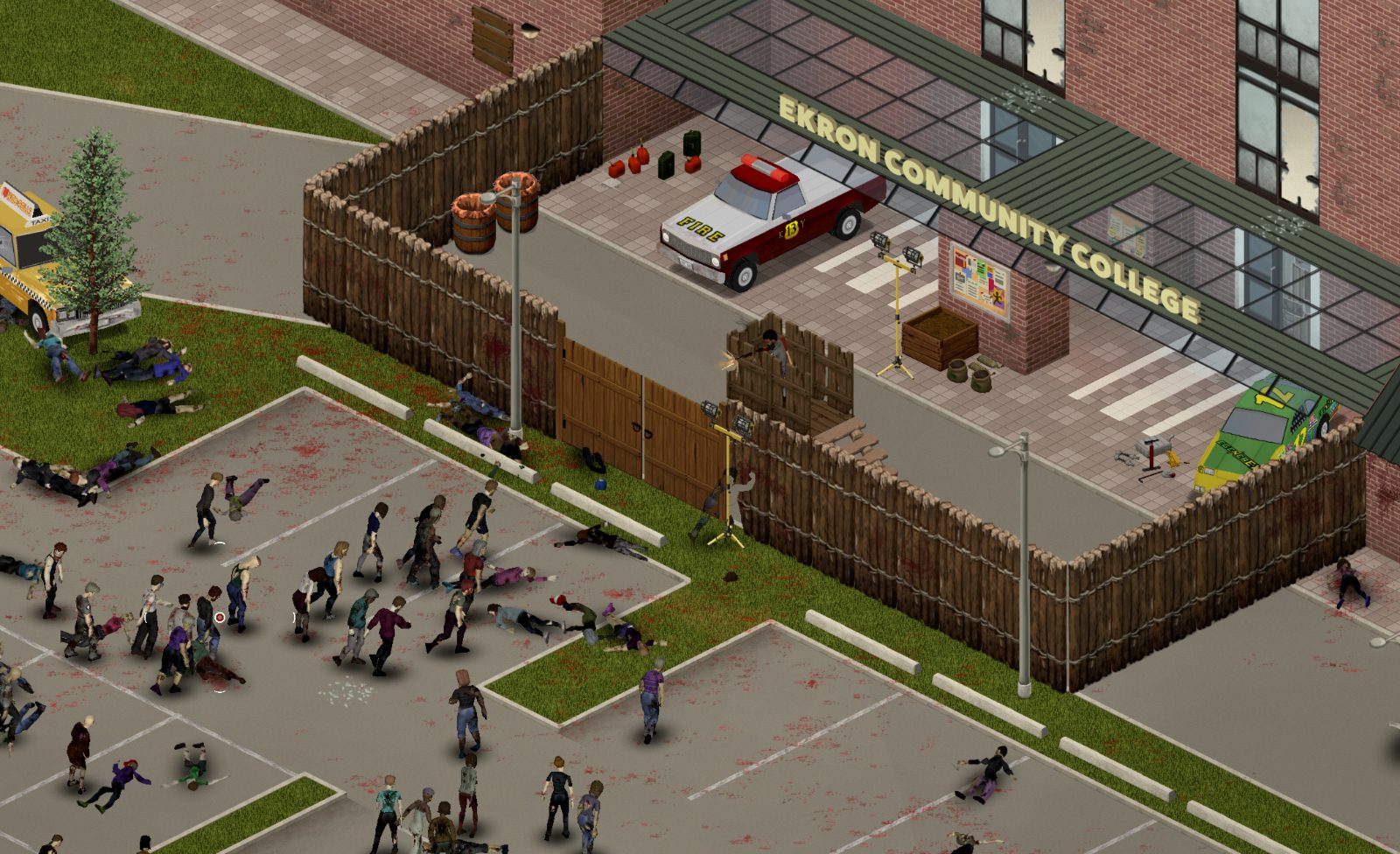
09Part

Dying, respawning and the settings that change play

Death on a server is permanent for the character, not the account. Your body stays where it fell with everything you were carrying, so a friend, or your next character, can recover the bag. When you reconnect you build a new survivor on the same account; safehouse membership and faction slots belonged to the old character, so expect to be re-added.

What happens next depends on a handful of server options, which the host can read in the server's settings file or change in-game with /changeoption. Ask an admin which are on before you pick a base.

PlayerRespawnWithSelf

Respawn where you died and keep playing without going back to the main menu.

SafehouseAllowRespawn

Members of a claimed safehouse come back inside it instead of at a random spawn.

DropOffWhiteListAfterDeath

Hardcore servers use it: one death removes you from the whitelist.

AnnounceDeath

Deaths are posted to the whole server's chat.

SleepAllowed and SleepNeeded

Whether anyone can sleep, and whether tiredness still matters. Many servers allow sleep but do not require it.

PauseEmpty

The world freezes when nobody is online; switched off, crops grow and zombies migrate without you.

HoursForLootRespawn

Loot refills after this many in-game hours; 0 means never.

PingLimit

Players over the limit for several checks in a row are kicked automatically.

Time passes at the server's rate, so nobody fast-forwards through a night alone, and a server that never pauses means crops and generators need checking on a real-world schedule. Desync shows up as zombies that hit from a tile away and doors that reopen. Join servers on your own continent, close downloads, and avoid driving at speed through unexplored map, which streams the most data. See health for what a bite means once the fight is lost.

10Part

Quick answers

How many players can join a Project Zomboid server?

Up to 254 since Build 42.20.3.

Can Build 41 and Build 42 players play together?

No. Clients, servers and saves must be on the same build.

How do I claim a safehouse?

If the server allows it: clear the building, stand inside, right-click and choose Claim Safehouse.

How do I turn PvP off?

If the server uses the safety system, click the skull icon.

What port does a Project Zomboid server use?

UDP 16261 by default.

Build 42 multiplayer changes from The Indie Stone’s patch notes (42.13, 42.20.x, 42.21) and press; setting defaults from server documentation by GuildOrder, pzfans.com and projectzomboid.wiki. PvP and safety timer defaults are not confirmed for every preset. Added November 2026: pzwiki.net Multiplayer FAQ and Server settings; pzfans.com co-op guide and admin command list; Build 42 server roles documentation.