Latest
Oct 27 · 42.22 pre-release: ladders and crowbar break-insOct 23 · First-person mods are not officially supportedOct 21 · The Indie Stone on Java mods: download responsiblySep 28 · Build 42.21 Stable: zombie duplication fixesAug 26 · Security fixes on every branchAug 17 · Servers now handle up to 254 playersJul 29 · Build 42 goes Stable

Playing Project Zomboid with friends in Build 42

Online multiplayer is part of stable Build 42 since version 42.20 in July 2026. This page covers the practical side of co-op for two to four friends: which way to play together, who takes which job, how a shared base, sleep and death work, and which server settings to change. Technical setup is on the multiplayer and hosting pages. Written for Build 42 (42.22), November 2026.

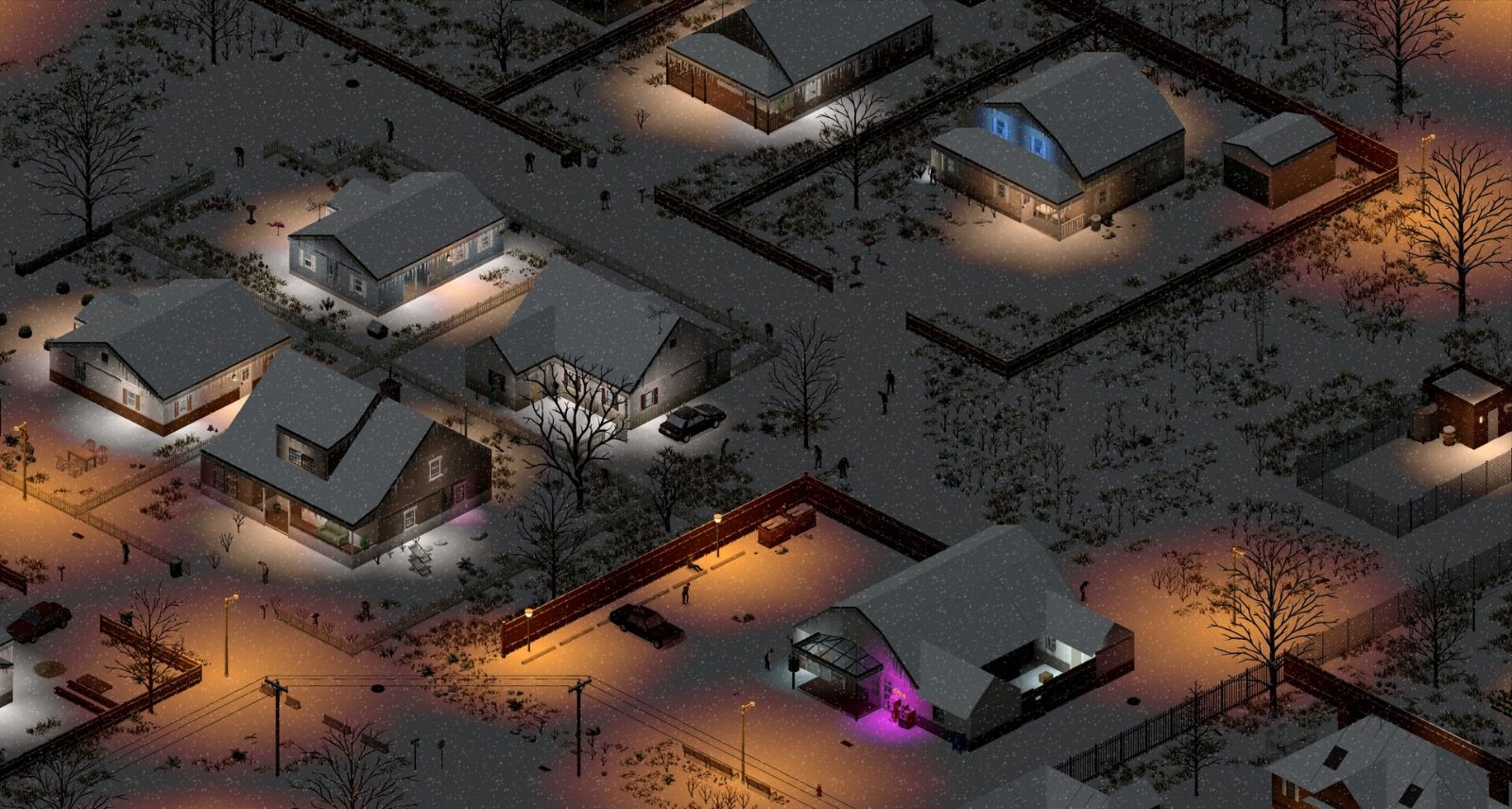
A town at night in Project Zomboid
A small group shares one base, one clock and one stock of supplies.
01Part

Where Build 42 multiplayer stands

Build 42 launched in December 2024 without online play. Multiplayer came back in 42.13 on the unstable branch on December 11, 2025, as a stress test, and reached everyone when 42.20 moved to the stable branch on July 29, 2026. You no longer need a beta branch to play with friends. Older guides that call Build 42 single player only are out of date. See version history and patch notes.

BuildDateWhat changed for co-op
42.13 unstableDec 11, 2025First online multiplayer in Build 42. A stress test. The developers advised whitelisted servers or Steam co-op, no mods and at most 20 players. Ragdolls were off in multiplayer.
42.20 stableJul 29, 2026Multiplayer on the default branch. Server-side anti-cheat back on, faster stack transfers, ping in the player list.
42.20.3Aug 2026Player ceiling of 254, and admins can enter a full server.
42.22Oct 27, 2026 on pre-release (one source)Duplicate character bug fixed, PvP damage handled by the server, faster backups.

Still limited: saves do not always survive big version jumps (42.19 worlds did not load in 42.20), Build 41 mods need a Build 42 version, and cars driven close together can still desync (one source).

02Part

Four ways to play together

MethodBest forCatch
Host from the main menuTwo to four friends who play at the same timeThe world only runs while the host is in the game.
Dedicated server on a spare PCGroups who play at different hoursSomeone has to set it up and keep it updated.
Rented serverThe same, with no hardware of your ownMonthly cost.
Split screen on one PCTwo players on one couch with controllersSources disagree on Build 42 support, see below.

For a small group, pick Host on the main menu, set a password and player limit, start the world, then press Esc and choose Invite Friends. A friend must be on the main menu to accept an invite. Direct connections use UDP ports 16261 and 16262, and the Use Steam Relay option helps when the host cannot forward them. Full setup is in the multiplayer guide and hosting a server.

Split screen. Steam lists it, the 42.20 patch notes gave each split-screen player a separate trade window, and one guide says it works with controllers. One wiki says it is not supported. Test it before you plan an evening around it. Steam Remote Play Together only streams one PC's split-screen session to a friend (one source), so it depends on split screen working.

How many players. The hard ceiling is 254. One guide reports a warning above 32 (one source). Opinion On a hosted game, stay at two to four.

03Part

Roles and occupations for two to four players

Skills are per character, so a group gains nothing when four people all start as the same fighter. Agree on jobs before anyone builds a character. Point costs match our character builds page, and the full list is on traits and occupations.

RoleOccupation (points)What the group gets
Fighter and woodcutterLumberjack (0)Axe 2 and extra Strength. Clears buildings and brings in logs.
BuilderCarpenter (-2)Carpentry from day one for barricades, rain collectors and walls.
Driver and scoutMechanic (-4) or Burglar (-6)Mechanic keeps the cars running. Burglar can hotwire, see hotwiring.
MedicDoctor or Nurse (0)A first aid start. Works best treating other people.
FoodFarmer or Rancher (0)Farmer starts with Agriculture 4, Rancher with Animal Care 4 and Butchering 3.

Opinion Two players: Lumberjack plus Carpenter, and both learn mechanics from books. Three: add a Mechanic or Burglar. Four: add a Farmer or Rancher, because four mouths empty a town's kitchens quickly.

04Part

Sharing a base and claiming a safehouse

You do not need a claim to share a house. On a private game with friends a claim adds little. Pick a building in the first in-game week from base locations and label the storage by type so nobody hunts for nails.

A safehouse claim matters on servers with strangers, or when you want to come back at home after a death. The server options are PlayerSafehouse, which lets ordinary players claim, and SafehouseAllowRespawn. One player claims the building and adds the others through the safehouse window. Each member then ticks the respawn box next to their own name. An accepted faction war suspends the protection for the groups involved (one source). We could not confirm the Build 42 claim requirements, such as days survived or building type, so check them on your server.

Opinion Keep food communal and give each car one owner who holds the key.

05Part

Sleep, time and death

Sleep. Two server options control it. SleepAllowed lets players use beds. SleepNeeded makes characters grow tired and need rest, and it does nothing unless SleepAllowed is on. One hosting guide lists both as off by default (one source). With sleep on, time only speeds up when every online player is asleep. One person sorting loot holds the night at normal speed for everyone, so agree on a bedtime. From 42.22 the Bad Smell moodle blocks sleep until you wash, change clothes or clear nearby bodies (one source). See sleep.

Time. PauseEmpty stops the clock when no one is online, so food does not rot while everyone is at work.

Death. The character is gone, the account is not. You make a new survivor with new skills, and the old body stays in the world with its gear. By default you choose a normal spawn point and travel back. PlayerRespawnWithSelf and SafehouseAllowRespawn, both off by default, let you return at the death spot or in the safehouse. More detail is on the death page.

Rejoining. Characters are stored with the world on the host or server. Log in with the same account name and you continue where you left off. If the world is wiped, the characters go with it.

06Part

Server settings and chat for a friends group

SettingSuggestedWhy
PVPOffStops accidental friendly damage. SafetySystem allows a per-player toggle if you leave PVP on.
OpenFalse, or set a passwordKeeps strangers out.
SafehouseAllowRespawnOnNew characters start at the base and not across the map.
Map player visibility2 (Friends) or higherFour levels: 1 hidden, 2 friends, 3 friends and nearby players, 4 everyone (one source).
Show coordinatesOnAdded in 42.20. Makes it easier to call out a meeting point.

Opinion For a first shared world keep zombie population at low or normal and loot at normal, then tighten it for the second run. See sandbox settings. Start without mods, confirm everyone can join, then add them in small batches.

Chat. The game has text chat and built-in voice chat. In-game voice has a limited range (one source), so you stop hearing a friend who drives off. Many groups use Discord for that reason. If you use in-game voice, set push to talk in the options. We could not confirm the default chat and voice keys for Build 42, so check the key bindings.

07Part

Common co-op problems

  • Connection lost or version mismatch. Someone is on a different Steam branch or patch. Everyone, and the server, must match. A Build 41 client cannot join a Build 42 host.
  • File does not match the one on the server. A mod differs. Everyone needs the same Workshop items, fully downloaded. Test with no mods first.
  • Connection failed or P2P error. Toggle Use Steam Relay, then check the host's firewall and UDP ports 16261 and 16262.
  • Unknown account or wrong password. The account name and password belong to that server, not to Steam.
  • Lag when the group is together. Lower the zombie count and restart the host after long sessions. See performance.
  • World broken after a patch. Back up the save before every game update.
08Part

Quick answers

Does Project Zomboid Build 42 have multiplayer?

Yes. Online multiplayer arrived in unstable build 42.13 on December 11, 2025 and has been on the stable branch since 42.20 on July 29, 2026.

What is the easiest way to play Project Zomboid with one friend?

Use Host on the main menu, start the world, then press Esc and choose Invite Friends. Both players must be on the same Steam branch and patch with the same mods.

Does Build 42 have split screen?

Sources disagree. Steam lists split screen and the 42.20 patch notes changed split-screen trading, but one wiki says local split screen is not supported, so test it on your own PC first.

How does sleeping work in multiplayer?

The server needs SleepAllowed on, and SleepNeeded if characters should get tired. Time only speeds up when every online player is asleep at once.

What happens when I die on a friend's server?

The character is lost and you create a new one in the same world. Your body and gear stay where you died, and the host can allow respawning at the death spot or in a safehouse.

How many players can join a Project Zomboid server?

The limit is 254 since build 42.20.3, but a game hosted from the main menu runs best with a handful of friends. The developers advised no more than 20 during the first multiplayer test.

Dates and the 42.13 warnings come from The Indie Stone's posts and agree across several hosting and fan sites. Server option names come from fan guides written for 42.19 to 42.22, and items marked one source were not cross-checked. Sources: The Indie Stone: Unstable 42 MP released · The Indie Stone: Build 42.20 released · PZfans co-op guide · projectzomboid.wiki sleep and rest · Patched.gg 42.20 patch notes. Your game is the final word: if it disagrees with us, tell us and we will fix the page.