Latest
Oct 27 · 42.22 pre-release: ladders and crowbar break-insOct 23 · First-person mods are not officially supportedOct 21 · The Indie Stone on Java mods: download responsiblySep 28 · Build 42.21 Stable: zombie duplication fixesAug 26 · Security fixes on every branchAug 17 · Servers now handle up to 254 playersJul 29 · Build 42 goes Stable

Dying and carrying on in Project Zomboid

When your survivor dies in Project Zomboid, the world stays and only the character is lost. This page explains what happens to the body, how to start again in the same world, how to get your gear back, what carries over, how servers handle death, and how to back up a save. Written for Build 42 (42.22), November 2026.

A dark street in Project Zomboid
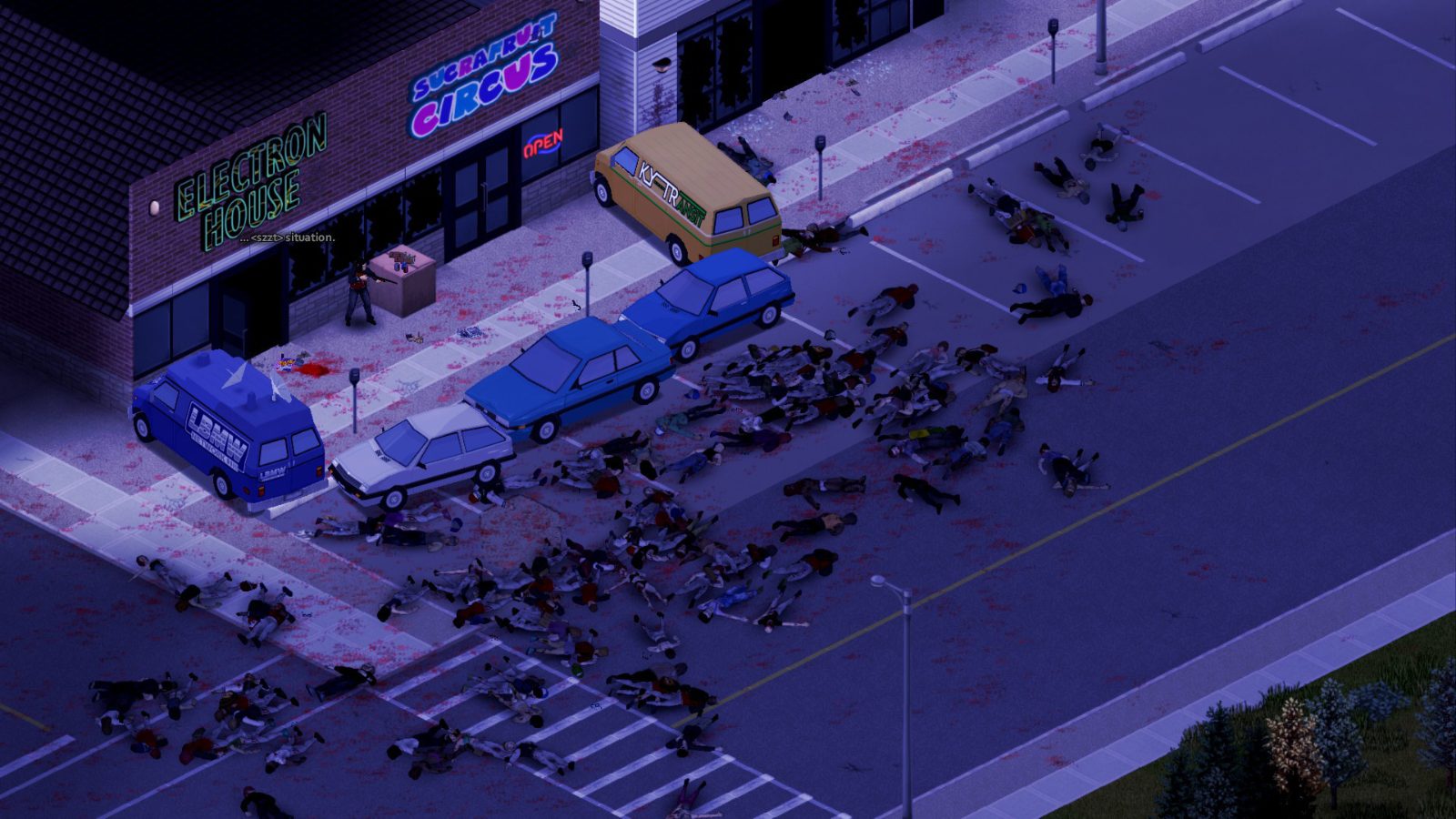
The world keeps going after your character dies, and your old survivor may still be walking in it.
01Part

What happens when you die

Death is permanent for the character, not for the world. The save keeps running exactly as you left it: your base, your stockpiles, your vehicles and every door you barricaded stay where they are. Only the survivor is gone. The death screen then offers a new character or a way out to the menu.

What becomes of the body depends on infection. A character who dies clean leaves an ordinary corpse on the ground. A character who dies while carrying the Knox infection gets back up as a zombie, still wearing the same clothes and carrying the same inventory. The cause of death does not matter: an infected survivor who bleeds out still reanimates. On the default Apocalypse settings the Reanimate Time option is 0-1 Minutes, so the body rises almost at once. Both that timer and the 2-3 day Infection Mortality can be changed in the sandbox settings.

Build 42 has no save button and no reload. The game writes the character file the moment you die (one source), so the only way back is a copy of the save made beforehand.

02Part

Starting a new character in the same world

Pick the new character option on the death screen, or quit and load the same save from the menu later. You go through character creation again, with a fresh occupation and traits, then choose a spawn town. The calendar does not rewind: if the first survivor lasted into winter, the second one starts in winter with the power and water already off.

Where you appear is the part sources describe least clearly. Older Build 41 guides list four towns: Muldraugh, Riverside, Rosewood and West Point. Build 42 worlds offer a longer list of starting towns, including Echo Creek, Ekron, Irvington and Brandenburg. One guide adds that the new survivor sometimes appears on the spot where the old one died (one source).

Opinion Spawn in the town nearest your old base even if another town is safer. The walk home is the dangerous part, because you have starting skills and no weapon. Plan the route on the map before you move.

03Part

Getting your gear back

Nothing on the old character is deleted. Whatever was in the hands at the moment of death falls to the ground on that tile. Everything else, including worn clothing, the backpack and its contents, stays on the body. If the body turned, all of that is now walking around on a zombie.

  1. Go back to the place you died.
  2. If you died clean, loot the corpse like any other container.
  3. If you died infected, look for a zombie dressed as your old character near the death spot. It can wander, so search a wide area.
  4. Kill it, loot the body, then check the ground for whatever was in your hands.

The place you died is usually still full of whatever killed you, so pull the crowd away first. Corpses are also cleaned up on a timer: Time Before Corpse Removal is 216 hours on every preset (one source), and we could not confirm that your own body is exempt in single player, so go soon.

04Part

What persists and what is lost

The rule of thumb: anything stored in the world survives, anything stored in the character's head does not.

ThingAfter deathNotes
Base, walls, barricades, cropsKeptPart of the world save
Loot in containersKeptNothing resets
VehiclesKeptParked where you left them. The key may be on your body
Items you were carryingKept, on the bodyOn the corpse or on your zombie
Items in your handsKept, on the groundDropped where you fell
Date, season, power and water stateKeptThe world clock keeps its place
Map reveal and map markersKept (one source)Reported for single player
Skill levels and XPLostBack to occupation and trait bonuses
Recipes learned from magazinesLostRead them again
Skill book XP multipliersLostThe books are still usable
Traits and occupationLostChosen again at character creation

Keep every skill book, recipe magazine and VHS tape in one container at home, so the next survivor can rebuild skills quickly.

The skill journal is a mod. Vanilla Build 42 has no item that carries skills across a death and no sandbox toggle for it. Skill Recovery Journal is a Workshop mod: you bind a journal, write your earned XP and recipes into it, and read it back on a later character. Its discussion page says the return rate defaults to 100 percent and that the Build 42 crafting recipe may need to be set in the mod's sandbox options (one source). See the mods page before adding it.

05Part

Death in multiplayer

On a server the character is gone but the account is not, and you make a new survivor. The body stays in the shared world, so other players can loot it before you do. Where you come back, and whether you can, is set by the host.

Server optionDefaultWhat it does
PlayerRespawnWithSelffalseLets the new character appear where the old one died
PlayerRespawnWithOtherfalse (one source)Lets you appear next to another player, such as a split-screen partner
SafehouseAllowRespawnfalseLets members come back inside their safehouse
DropOffWhiteListAfterDeathfalse (one source)Removes the account from the whitelist on death, for one-life servers
RemovePlayerCorpsesOnCorpseRemovalfalse (one source)If on, player bodies are cleared on the corpse removal timer

Safehouse respawn needs three things: the server option turned on, a character who is still the owner or a member, and the respawn box ticked for your name in the View Safehouse window. With the defaults you pick a normal spawn point. The sources we read do not say whether a safehouse claim survives its owner's death. See hosting a server and the multiplayer guide.

06Part

Common causes of death and how to avoid them

CauseHow it killsHow to avoid it
Zombie biteAlways infects. Death follows in 2 to 3 days on default settingsDo not fight exhausted. Back away from groups
Scratch or lacerationInfects some of the time: 7 percent and 25 percent (one source)Wear protective clothing
Being surroundedDragged down in secondsKeep an exit and check behind you
Bleeding and deep woundsHealth drains until treatedCarry bandages on your belt, not in the car
Car crashInjury on impactSlow down in towns
FireBurns from standing in flamesKeep cooking fires away from walls
Generator fumesA generator running indoors poisons the buildingRun generators outside
Poison and bad foodBleach and food poisoningRead the tooltip before eating
Starvation, thirst, cold, heatSlow health lossWatch your moodles and fix them early

Opinion Most long runs end with a tired survivor clearing one more house before dark. Leave early. The health guide covers wound treatment.

07Part

How to back up a save

A backup is a plain copy of the world folder. The game does not make one for single player worlds.

  1. Quit to the main menu or close the game, so nothing is being written.
  2. Open the Zomboid folder in your user directory. On Windows it is C:\Users\(your name)\Zomboid\Saves.
  3. Open the game mode folder and copy the folder named after your world to another location.
  4. To restore, close the game and replace the entire world folder with the copy. Do not swap single files.

Sources disagree on the Linux and Steam Deck path: one gives ~/Zomboid/Saves, another ~/.local/share/Zomboid. Check both. One guide also states that Steam Cloud does not sync Zomboid worlds (one source), so do not treat it as a backup. Restoring a copy made before a death brings that character back, with the world as it was then.

08Part

Quick answers

Can you respawn in Project Zomboid?

Not as the same character. Death is permanent, but you can create a new survivor in the same world and carry on with your old base and loot.

Do you keep your skills when you die in Project Zomboid?

No. Skill levels, XP, learned recipes and skill book multipliers are all lost. The new character starts with only the bonuses from its occupation and traits.

Is the skill recovery journal in vanilla Build 42?

No. Skill Recovery Journal is a Steam Workshop mod. Vanilla Build 42 has no item or setting that moves skills to a new character.

Can I find my old character as a zombie?

Yes, if the character died while infected. It rises as a zombie wearing the same clothes and carrying the same inventory, and you can kill it and loot the body.

Where does my new character spawn after death?

In single player you choose a spawn town during character creation. In multiplayer the server can also allow respawning at your death spot or in your safehouse, but both options are off by default.

Can I reload a save after dying?

The game has no reload. You can only go back by replacing the world folder with a copy you made before the death.

Death rules, server options and save behavior come from community guides and server host documentation written for Build 42.19 to 42.21, not from testing in 42.22. Figures marked as one source were found in a single guide. Sources: PZ Fans: keeping skills after death · PZ Fans: infection timeline · GuildOrder: death and respawn rules · Wabbanode: player respawn options · PZ Fans: how saving works. Your game is the final word: if it disagrees with us, tell us and we will fix the page.