Emergency broadcastKNOX COUNTY: STAY INDOORS_ BUILD 42.21 STABLE IS LIVE
Latest
Oct 27 · 42.22 pre-release: ladders and crowbar break-insOct 23 · First-person mods are not officially supportedOct 21 · The Indie Stone on Java mods: download responsiblySep 28 · Build 42.21 Stable: zombie duplication fixesAug 26 · Security fixes on every branchAug 17 · Servers now handle up to 254 playersJul 29 · Build 42 goes Stable
Accessibility options in Project Zomboid
This page gathers the Build 42 settings that make Project Zomboid easier to see, read and control, and says plainly where the game has no option. It covers text and icon size, colors, aiming help, pausing, gore, controllers and one-handed play. Written for Build 42 (42.22), November 2026.
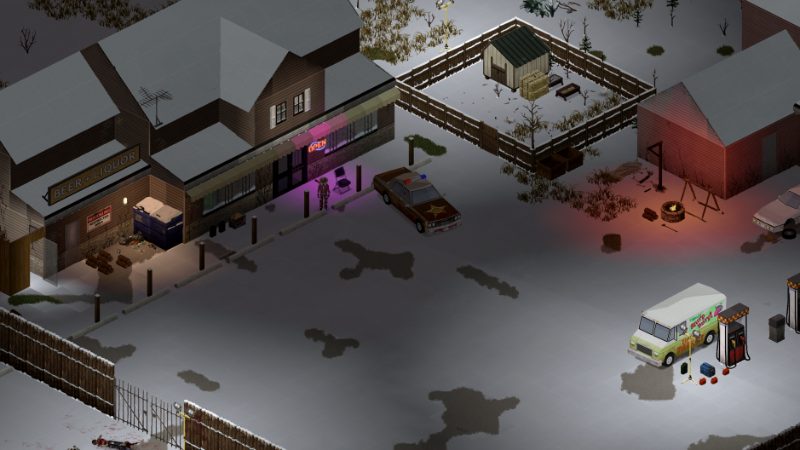
Larger fonts and moodles make the Build 42 screen far easier to read.
01Part
What Project Zomboid offers, and what it lacks
Project Zomboid has no single accessibility menu. The options that help are spread across the main Options screen, the key bindings and the sandbox settings you pick when you start a game. Build 42 kept the Build 41 layout and added more font and icon size choices, so most of what follows applies to both builds, with Build 42 values where they differ.
Be clear about the gaps before you start. We found no vanilla subtitles or captions, no on-screen sound indicator for zombie noises, and no dedicated colorblind filter in Build 42. Accessibility trackers have not reviewed the game yet. If you rely on audio cues, the workarounds below (the visual moodles, highlight colors and slower pacing) carry more weight, and some players add mods from the mods list for extra cues.
The table is the quick reference. The sections after it explain each group and how to combine them.
Option
Where it is
What it does
Font Size
Options, UI tab
Main UI text: 16, 19, 26, 33 or 38 px, or scale with window height
Inventory, Context Menu and Tooltip Font
Options, UI tab
Small, Medium or Large, set separately from Font Size
Moodle Size
Options, UI tab
Status icons from 32 to 128, or scale with font
Sidebar Icon Size
Options, UI tab
Left sidebar icons, 48 to 128, or scale with font
Zoom levels
Options, Display
Which camera zoom steps are available; does not scale menus
Highlight colors
Options, Display or UI
Container border and good or bad highlight colors
Blood Decals
Options, Display
Percentage of blood splats drawn on the ground
Aim Outline
Options, Display
Outlines the zombie you are aiming at
Pause and speed keys
Options, Keyboard
Pause, normal speed and fast forward in single player
Toggle run key
Options, Keyboard
Run without holding Left Shift
Reload Difficulty
Options
Easy, Medium or Hardcore reload steps
Controller settings
Options, Controller
Enable pads, set stick sensitivity, test buttons
02Part
Text, UI scale and readable screens
Open Options and go to the UI tab. Font Size is the main control: in Build 42.19 it offers 16, 19, 26, 33 and 38 px, plus a setting that scales text with the window height (one source). Larger sizes also widen many windows, so the inventory and crafting screens grow with the text.
Three fonts are separate and easy to miss: Inventory Font, Context Menu Font (the right-click menu) and Tooltip Font. Each takes Small, Medium or Large and ignores the main Font Size, so set all three. Moodle Size and Sidebar Icon Size enlarge the status icons and the left sidebar, which matters because moodles are how the game tells you that you are hungry, panicked, bleeding or cold. The moodles page explains each icon.
Do not use camera zoom as a UI scale. The zoom levels under Display only change how close the world camera sits. Very close zoom can cost frame rate, which the performance guide covers. On a 4K monitor, start with the scale-with-window setting and adjust from there. For a tour of every panel, see the interface guide.
03Part
Color, contrast and aiming help
There is no Deuteranopia or Protanopia filter in the vanilla options that we could confirm for Build 42. What you can change is the color of key highlights. The Color of Highlighted Container option sets the border shown around the container you open, and the game also lets you pick colors for good and bad highlights, the green and red used in tooltips and item comparisons. Choose a pair that you can tell apart, for example blue and orange, instead of the default red and green.
Aim Outline draws an outline around the zombie your character will hit, which helps when zombies blend into dark ground or crowds. Build 42 also changed firearm aiming: a reticle now shrinks or grows with your accuracy, so a larger font and moodle size do not affect it, but a higher-contrast cursor area helps. The firearms and combat guides explain the new aiming.
Darkness is a real visibility problem in Build 42, since nights and interiors are darker than in Build 41. Carry a flashlight, light your base well (see lighting), and if night play is still too hard, raise the night darkness and light settings in sandbox.
04Part
Pausing, time control and slower pacing
In single player you can pause at any time and still open menus, read tooltips and plan. The key table on the community wiki lists F2 as pause and F3 as normal speed, with F4, F5 and F6 as faster speeds (one source). Check the Keyboard tab, because bindings changed between builds and you can rebind them. The speed buttons by the clock in the corner do the same thing with the mouse.
Pausing does not work in multiplayer, so the world keeps running while you read a menu. If reaction time is the issue, single player or a private co-op game with slower settings is the better fit; see multiplayer and game modes.
For more breathing room overall, change the sandbox rules. A longer day length gives you more real time per in-game day, slower or fewer zombies reduce the need for quick reactions, and Shamblers remove sprinters entirely. Opinion a new player who finds combat stressful should start with Builder or a custom game with low population and shamblers, then work up. The sandbox settings and recommended settings pages list the exact values.
05Part
Reducing motion and blood
Blood Decals under Display sets how many blood splats are drawn, as a percentage. Turning it down removes most ground gore and also helps frame rate. Wounds, corpses and the bleeding moodle still appear, since they carry game information. Corpses pile up fast; the corpses page explains how to clear them.
The game has no camera shake or screen flash option that we could confirm. The motion you can control is zoom: untick the extreme zoom levels so scrolling cannot jump the view in or out, and keep the camera at one comfortable level. Lowering the frame rate cap with Lock Framerate can make scrolling steadier on weaker hardware. Weather such as fog and heavy rain is set in sandbox; see weather.
06Part
Controller and one-handed play
Project Zomboid supports gamepads. The Controller tab lets you enable each connected pad, change joystick sensitivity and test buttons. The controller guide covers the full layout, and Steam Deck covers handheld play.
For one hand on a keyboard and mouse, three changes help most:
Turn on Toggle LSHIFT key to Run so you do not hold a key while moving.
Rebind actions in the Keyboard tab so the ones you use often sit near your hand, or on extra mouse buttons through your mouse software.
Use right-click context menus and the radial menus for actions; the option to show or hide radial menus with each keypress removes the need to hold a key.
Where the Reload Difficulty option is listed, Easy cuts magazine handling down to fewer separate steps. See controls for the default keys.
07Part
Quick answers
Does Project Zomboid have subtitles?
We found no subtitles or captions in vanilla Build 42, and no on-screen indicator for zombie sounds. Moodles and visual cues are the main substitutes, and some players use mods.
Is there a colorblind mode in Project Zomboid?
There is no colorblind filter that we could confirm. You can change the highlight colors, including the container border and the good and bad colors, to a pair you can tell apart.
How do I make the text bigger in Project Zomboid?
Open Options, then the UI tab, and raise Font Size. Also set Inventory Font, Context Menu Font and Tooltip Font, because they are separate.
Can I pause Project Zomboid?
Yes, in single player you can pause and still use menus. Multiplayer cannot be paused.
Can I turn off blood in Project Zomboid?
Lower the Blood Decals percentage in the Display options to remove most blood splats. Wounds and corpses still show.
Can I play Project Zomboid one-handed?
It is possible with a toggle for running, rebound keys and the right-click menus, or with a controller. Easy reload difficulty and slower sandbox settings help a lot.
Font and icon values come from a PZFans guide written for Build 42.19; key bindings and Display options come from the community wiki options page. Option names can shift between Build 42 patches. Sources: PZFans: UI scale and font size · PZwiki: Options · GameLuster: Build 42 aiming · Family Gaming Database. Your game is the final word: if it disagrees with us, tell us and we will fix the page.