Latest
Oct 27 · 42.22 pre-release: ladders and crowbar break-insOct 23 · First-person mods are not officially supportedOct 21 · The Indie Stone on Java mods: download responsiblySep 28 · Build 42.21 Stable: zombie duplication fixesAug 26 · Security fixes on every branchAug 17 · Servers now handle up to 254 playersJul 29 · Build 42 goes Stable

Save problems in Project Zomboid

This page covers how Build 42 stores your worlds, how to back them up and restore them, and what can and cannot be rescued when a save breaks. It also explains why Build 41 worlds do not open in Build 42 and how to move a save to another computer. Written for Build 42 (42.22), November 2026.

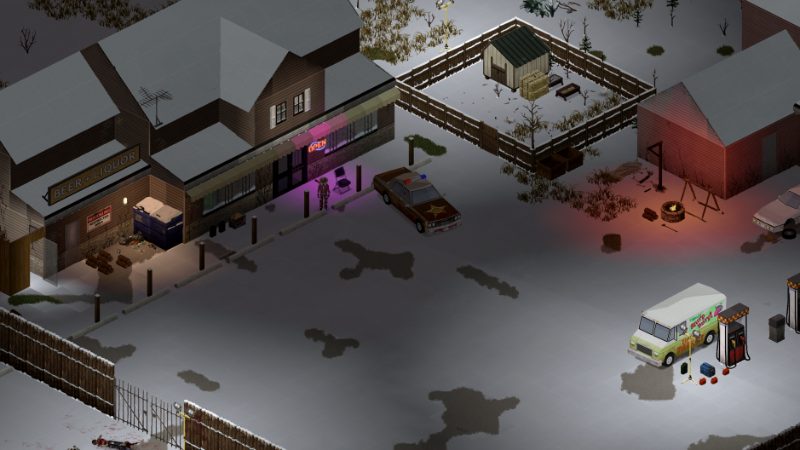
A town street in Project Zomboid
Every world is a folder you can copy, which makes backups simple.
01Part

Where saves are stored

Saves are not in the Steam install folder. They live in the Zomboid folder in your user profile, next to console.txt and your server settings.

SystemSaves folderServer settings
Windows%UserProfile%\Zomboid\Saves\%UserProfile%\Zomboid\Server\
macOS~/Zomboid/Saves/~/Zomboid/Server/
Linux~/Zomboid/Saves/~/Zomboid/Server/

Inside Saves there is one subfolder per game mode, and inside that one folder per world, named after the date and time the world was created. Worlds you host from the in-game Host menu sit under Saves/Multiplayer, with their settings files (such as servertest.ini and servertest_SandboxVars.lua) in the Server folder. A world is the whole folder: map chunks, player data, vehicle data and version files together. Never mix files from two different worlds.

02Part

How the game saves, and the backup options

Build 42 single player has no save button and no restore points. According to pzfans, it writes your character about every 10 real seconds and saves map areas as they change or unload. A full world save happens when you quit to the menu or desktop and when your character falls asleep and wakes. All of these overwrite the same world folder, so a bad moment cannot be undone by reloading.

A hard crash or a killed process keeps only what was already written. That is why quitting cleanly before copying a save matters.

Automatic backups exist only for servers, including worlds hosted from the Host menu. These settings live in the server .ini file:

SettingDefaultWhat it does
BackupsOnStarttrueZips the world each time the server starts
BackupsOnVersionChangetrueZips the world when the game version changes
BackupsPeriod0 (off)Zips on a timer, in minutes
BackupsCount5How many zips of each kind to keep
SaveWorldEveryMinutes0Extra timed save of loaded map areas

The defaults above come from one guide (one source). Zips go to Zomboid/backups, in startup, version and period subfolders, with backup_1.zip the newest. Server setup is covered in hosting a server and multiplayer.

03Part

Backing up and restoring a save

  1. Quit to desktop through the menu. For a server, use /quit and wait until it has fully stopped.
  2. Open the Saves folder, find your world folder and copy the whole folder somewhere else, for example a dated folder on another drive.
  3. If the world uses mods, write down the mod list or copy the save's mods.txt with it. For a hosted world, also copy its files from the Server folder.

To restore, quit the game, move the broken world folder out of Saves (do not delete it yet), and paste the backup in its place with the same folder name. Start the game and load it from the Load screen.

Opinion Back up before every game update, before adding or removing mods, and before risky trips. Since Build 42 can overwrite a good world with a dead character, a copy before a big fight is the only true "reload". See death for what else carries over.

04Part

Corrupted saves and what can be recovered

Common signs are a load that hangs, the message Savefile appears to be corrupt. World Version is zero, a world that loads fresh with nothing you built, or a missing character. Check console.txt in the Zomboid folder for the first error before changing anything. A world that loads but runs slowly is not corrupted; that is a performance issue. Short answers are also in the FAQ.

  • Missing mods or map: reinstall and re-enable exactly the mods the world was built with. Loading without them can damage the world further.
  • Saved on a different build: switch back to the build it came from (see the next part), or start a new world.
  • Damaged version or database files: restore a full folder backup. Guides agree that copying a single map_ver.bin or players.db from another world does not work.
  • Server came up empty after a patch: the old world is usually still on disk if the patch simply could not read it. Stop the server and copy the folder before anything else.

Without a backup, recovery is limited. There is no official repair tool, and Workshop patches that claim to rescue saves are unofficial and can cause hidden damage, according to Supercraft. If a world will not load after these steps, the realistic choice is a new world. Mod-related breakage is covered in the mods guide.

05Part

Build 41 saves in Build 42

Build 41 worlds do not load in Build 42. The map, crafting and animal data changed too much. To keep playing an old world, switch the game to the Build 41 beta branch in Steam (Properties, Betas); pzfans names it legacy41 (one source).

Saves can also break between Build 42 versions. Supercraft calls the 42.15 to 42.16 change a hard break, and pzfans says worlds from the 42.19 testing branch do not carry into 42.20 and later. Patch notes usually say when a new world is needed; check patch notes and version history before updating a long run.

Opinion If you are mid-run on a world you care about, turn off automatic updates or stay on its branch until you are ready to start fresh.

06Part

Moving saves between computers

Project Zomboid does not list Steam Cloud among its features, so saves do not follow you to a new PC on their own. Move them by hand:

  1. Quit the game on both machines.
  2. Copy the world folder from Saves on the old PC, keeping the mode subfolder it sat in.
  3. Put it in the same place under Saves on the new PC.
  4. Install the same game build and the same mods on the new PC before loading.

Windows, macOS and Linux use the same folder layout, so a world can move between systems. A cloud-synced folder is fine for storing backups, but do not run the game directly from one that is still syncing.

ProblemFix
Lost a good world to a bad eventRestore your last folder copy
World Version is zeroRestore a full backup
Build 41 world will not appear or loadSwitch to the Build 41 beta branch
World broke after a 42.x updateRoll back to the matching branch or start new
Mod errors on loadRe-enable the original mod list
Hosted world reset after patchStop server, copy folder, check backups folder
New PC has no savesCopy the Saves folder across by hand
07Part

Quick answers

Where are Project Zomboid saves stored?

In the Saves folder inside the Zomboid user folder: %UserProfile%\Zomboid\Saves on Windows and ~/Zomboid/Saves on macOS and Linux.

Can I load a Build 41 save in Build 42?

No. Build 41 worlds do not load in Build 42. Switch to the Build 41 beta branch in Steam to keep playing them.

Does Project Zomboid make automatic backups?

Only servers and hosted worlds do, through settings such as BackupsOnStart and BackupsPeriod. Single-player worlds need a manual copy of the save folder.

How do I fix World Version is zero?

Restore a full copy of the world folder from before the error. Copying single version or database files from another world does not fix it.

Can I reload an earlier save after dying?

Not in the game itself, because each save overwrites the same world. Only a folder backup you made earlier lets you go back.

Do my saves sync with Steam Cloud?

Steam Cloud is not listed among the game's features, so copy the world folder to the new computer yourself.

Folder paths and corrupt-save advice agree across pzfans and build42guide. Autosave timing, backup defaults and the legacy41 branch name come mainly from one pzfans guide. Sources: pzfans autosave guide · pzfans troubleshooting · build42guide error fixes · Supercraft save break guide · Steam store page. Your game is the final word: if it disagrees with us, tell us and we will fix the page.