Latest
Oct 27 · 42.22 pre-release: ladders and crowbar break-insOct 23 · First-person mods are not officially supportedOct 21 · The Indie Stone on Java mods: download responsiblySep 28 · Build 42.21 Stable: zombie duplication fixesAug 26 · Security fixes on every branchAug 17 · Servers now handle up to 254 playersJul 29 · Build 42 goes Stable

Safehouses on Project Zomboid multiplayer servers

A safehouse is a building you claim on a multiplayer server so that the server's protection rules apply to it. This page covers how to claim one in Build 42, how members work, what other players can still do, the server options that control it all, and the admin commands for cleaning up claims. Written for Build 42 (42.22), November 2026.

A dark room in Project Zomboid
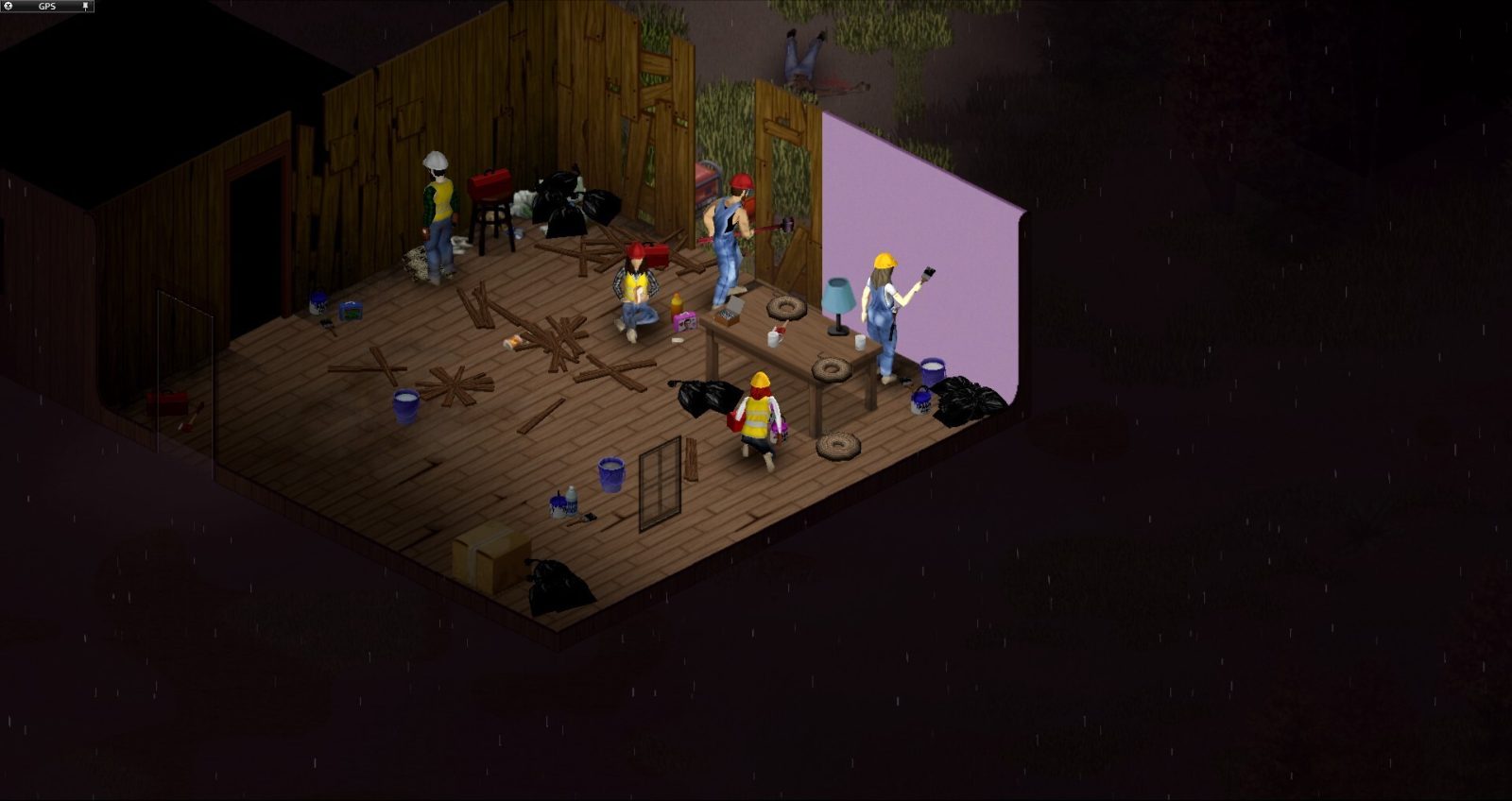
A cleared house claimed as a safehouse on a Build 42 server.
01Part

What a safehouse claim does

A safehouse claim ties one building to one owner and a list of members. On its own, the claim protects nothing. It simply marks the building so the server can apply the protection options the host turned on: keeping outsiders out, stopping them taking items, shielding the building from fire, letting members respawn there, and keeping loot from respawning inside. With every option left at its default, a claim protects very little, so read the server rules before you count on it.

Claims exist only on multiplayer games, either a hosted game or a dedicated server. Single-player has no claim menu. If you are new to servers, start with the multiplayer guide, and see the co-op guide for playing with a small group of friends.

02Part

Who can claim and the requirements

Claiming has to be switched on by the server. With PlayerSafehouse on, any player can claim. With AdminSafehouse on, only admins can. Both are off by default, and with both off nobody can claim at all. Sources describe these two options slightly differently, so check the tooltip on your server.

To claim a building:

  1. Survive the number of in-game days set by SafehouseDaySurvivedToClaim (0 by default, so no wait).
  2. Pick a residential building such as a house or apartment. Shops, warehouses and other non-residential buildings are refused unless the host turns on SafehouseAllowNonResidential.
  3. Clear it. Any zombie or other player inside, upper floors included, blocks the claim.
  4. Stand on an inside floor tile, right-click and choose Claim Safehouse.

A claim also fails if the building is a player spawn point, overlaps another safehouse, or is involved in a faction war. You can belong to only one safehouse at a time, so release or quit your old one first.

03Part

Adding and removing members

The owner manages everything from View Safehouse in the right-click menu. From there you can:

  • add a connected player to the allowed list (they cannot already belong to another safehouse),
  • remove a member,
  • hand ownership to another member,
  • rename the safehouse, which matters because admin commands find it by its title,
  • tick Respawn in Safehouse, if the server allows it,
  • use Release Safehouse to give the claim up.

A member who wants out uses Quit Safehouse. Members also get a safehouse chat channel, /sh.

04Part

What non-members can and cannot do

What outsiders can do depends entirely on the server options. At the defaults, non-members can walk in, take items and set fires, so the claim keeps very little out. Hosts who want real protection turn trespass, loot and fire off.

Action by a non-memberOption that controls itDefault
Enter the buildingSafehouseAllowTrepassAllowed
Take items from containersSafehouseAllowLootAllowed
Damage it with fireSafehouseAllowFireAllowed
Treat it as an ordinary house while the owner is onlineDisableSafehouseWhenOwnerConnectedOff

Protection is not total. Sledgehammer destruction is a separate option, AllowDestructionBySledgehammer (on by default), and SledgehammerOnlyInSafehouse limits sledgehammer use to your own safehouse. Doors and windows still need real defenses against zombies, so see barricades and the sledgehammer page. The game file spells the trespass option "Trepass", so type it that way.

05Part

Safehouse settings in the server options

Hosts set these in the server's .ini file or in the in-game admin panel under server options. Setup steps are on the hosting a server page. Defaults below come from Build 42 server files as reported by hosting guides.

OptionDefaultWhat it does
PlayerSafehousefalsePlayers can claim
AdminSafehousefalseOnly admins can claim
SafehouseDaySurvivedToClaim0In-game days survived before claiming
SafehouseAllowNonResidentialfalseShops and other non-houses can be claimed
SafehouseAllowTrepasstrueNon-members can enter
SafehouseAllowLoottrueNon-members can take items
SafehouseAllowFiretrueFire can damage the building
SafehouseAllowRespawnfalseMembers can respawn there
SafehousePreventsLootRespawntrueLoot does not respawn inside claims
DisableSafehouseWhenOwnerConnectedfalseProtection drops while the owner is online
SafeHouseRemovalTime144 (sources differ)Real-world hours without a visit before removal

Respawn needs three things together: the server option on, the character still an owner or member, and the respawn box ticked in View Safehouse. See death for what you keep.

Inactive safehouses: SafeHouseRemovalTime counts real hours, not game days. Most sources give 144 hours (six days), but one Build 42 server guide lists 1440 (one source), and sources also disagree on whether the whole claim is dropped or only members who stopped visiting. Check your own server file. Loot respawn generally is covered on the respawn page.

06Part

PvP, wars and admin commands

Safehouse options do not switch PvP off. The sources checked for this page do not say that players are protected from PvP damage inside a claim, so treat a safehouse as a property rule, not a combat shield. Admins can mark separate Non-PvP zones from the admin panel. Build 42 also adds faction wars: once a war is accepted, safehouse protection is suspended for the groups involved until it ends. The War option is off by default; when on, WarStartDelay (600 seconds) and WarDuration (3600 seconds) (one source) set the timing.

Admins with the right to set up safehouses can use these chat commands:

CommandEffect
/addtosafehouse "title" "username"Adds a player to that safehouse
/kickfromsafehouse "title" "username"Removes a player from it
/releasesafehouseReleases a claim; some guides show a "title" argument

These are most useful for clearing abandoned claims and settling disputes.

07Part

Picking a safehouse

Opinion Read the server's options before choosing. On a server with trespass and loot left on, the claim is mostly a name tag, and a quiet, out-of-the-way house protects you better than any setting. On a protected server, pick for the long term:

  • A house with few ground-floor windows is easier to secure. Ideas are on the base locations page.
  • Stay away from spawn points and busy town centers, where claims are refused or crowded.
  • Look for a yard with room for farming, rain collectors and a generator.
  • If the server allows non-residential claims, a warehouse holds more storage, but it is harder to clear.
  • Visit regularly, or ask an admin before a long break, so the removal timer does not wipe your claim.

For building out the claim, see base building.

08Part

Quick answers

Why can't I claim a safehouse in Project Zomboid?

The server may have claiming off, you may not have survived enough days, the building may be non-residential, or a zombie or player is still inside. Spawn points and buildings that overlap another claim are also refused.

Can I claim a safehouse in single-player?

No. Safehouse claims are a multiplayer feature, available on hosted games and dedicated servers.

How do I add a friend to my safehouse?

Right-click inside, open View Safehouse and add them while they are connected. They cannot already belong to another safehouse.

Can other players loot my safehouse?

By default, yes. Only a host who turns SafehouseAllowLoot off stops non-members taking items.

How long before an inactive safehouse is removed?

It depends on SafeHouseRemovalTime, counted in real-world hours. Most sources give a default of 144 hours, but check your server's file.

Does a safehouse protect me from PvP?

Not by itself. PvP rules are separate, and Build 42 faction wars can suspend safehouse protection while a war runs.

Option names and defaults come from several Build 42 server-setting guides that agree except on SafeHouseRemovalTime (144 vs 1440). Claim rules come from a Build 42.19 guide, and war timings from one source. Sources: pzfans: claiming a safehouse · pzfans: admin commands · GuildOrder: safehouse settings · GuildOrder: factions and wars · Pindrop: dedicated server settings. Your game is the final word: if it disagrees with us, tell us and we will fix the page.