Latest
Oct 27 · 42.22 pre-release: ladders and crowbar break-insOct 23 · First-person mods are not officially supportedOct 21 · The Indie Stone on Java mods: download responsiblySep 28 · Build 42.21 Stable: zombie duplication fixesAug 26 · Security fixes on every branchAug 17 · Servers now handle up to 254 playersJul 29 · Build 42 goes Stable

Sound cues in Project Zomboid

Sound is your best early warning in Project Zomboid. This page explains what zombie moans, footsteps, glass, doors, thumping, alarms and music cues tell you in Build 42, and which audio settings help you hear them. Written for Build 42 (42.22), November 2026.

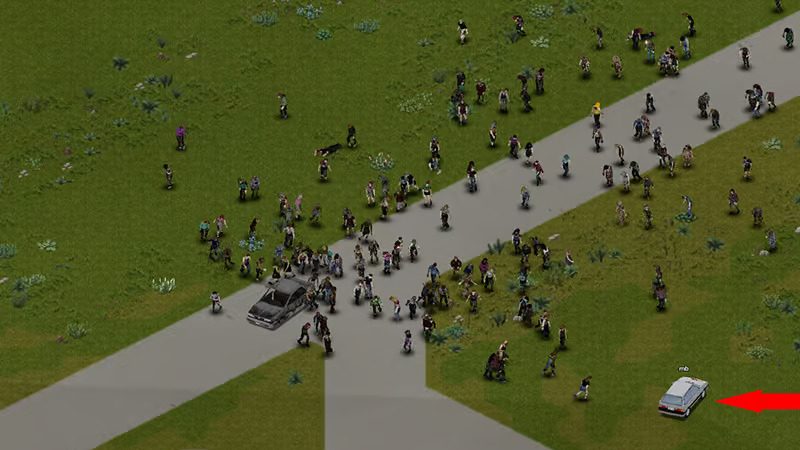
A horde crossing a field in Project Zomboid
A moan through the wall often tells you more than the view cone does.
01Part

Why sound matters

In Project Zomboid you often hear a threat before you see it. Walls, fog, darkness and the limited view cone hide zombies, but the game plays their noises with direction and distance, and muffles sounds that come through walls. Learning what each sound means turns the audio into an early warning system.

Sound also works the other way. Everything loud you do can be heard by zombies, and they walk toward it. This page is about reading the sounds you hear. For keeping your own noise down, see stealth.

Build 42 brought a large audio rework by the outside studio Noiseworks, including new zombie voices and much more wildlife and weather ambience. If an older guide describes a sound that does not match what you hear, the guide is likely from Build 41.

02Part

Zombie moans and what they mean

Zombies make two broad kinds of vocal sound. A low, slow groan or moan is idle noise from a zombie that is shambling about and has not noticed you. A sharper, louder growl that starts suddenly usually means a zombie has spotted or heard you and is coming. The second kind is the one to react to.

Volume and direction tell you the rest. A single moan close by, on the other side of a wall, means one zombie in the next room. A steady chorus of overlapping moans means a group, and if it keeps getting louder the group is moving your way. For how groups gather and travel, see hordes.

Some zombies are quieter than others. Sandbox settings can make zombies faster or change their senses, and a sprinter closes distance much faster than its noises suggest. The variants are listed on zombie types.

03Part

Footsteps, glass, doors and thumping

Footsteps. Your own footsteps get louder as you go from sneaking to walking to running, and the surface changes the sound. Shuffling or dragging steps you did not make, especially indoors, are a zombie moving nearby.

Glass breaking. If you did not break it, something else did. Usually a zombie has smashed a window to get into a building, possibly yours. Go and look carefully, and remember that broken windows leave glass that cuts unless you clear it.

Doors. A creak or slam you did not cause can mean a zombie got through, or another player in multiplayer. Rattling when you try a locked door is noise you made, and it can wake zombies on either side.

Thumping. Repeated heavy thuds on a wall, door or window mean zombies are hitting it. On a door or barricade this is a countdown: they are wearing it down. Check which side the noise comes from and whether your barricades need repair. Thumping inside a house you are about to loot means someone is shut in a room. A short knock-and-listen at a door often answers with banging or groans if a room is occupied.

04Part

Sound and meaning table

SoundLikely meaningWhat to do
Low idle moanZombie nearby, not aware of youSlow down, crouch, find it first
Sudden sharp growlA zombie has noticed youGet ready to fight or leave
Growing chorus of moansA group heading your wayMove off its path or hide indoors
Glass breaking you did not causeA zombie broke a windowFind the window, clear it, board it
Heavy thumping on a door or wallZombies attacking itCheck barricades or prepare an exit
Bell or siren from a buildingHouse alarmAvoid that block for a while
Patterned car hornCar alarmLeave the car, expect a crowd
Rotor noise overheadThe helicopterGet indoors and out of sight
Single distant gunshotA meta event or another playerNote direction, expect movement
Sudden orchestral hitA zombie just came into viewLook around you at once

Alarms are covered in depth on the alarms page, and the helicopter on the helicopter page.

05Part

Music cues that signal danger

The soundtrack is not just background. The developers built the music to shift with what is happening, so tension rises in the score when a situation turns dangerous. The clearest cue is a sudden, loud orchestral hit, often called the jumpscare sting, that plays when a zombie appears close by. Players in fog or darkness say it has warned them of a zombie they had not seen. Some players also describe a high, thin string note when a zombie is spotted farther off.

We could not find a Build 42 source that lists every music trigger, so treat these as patterns players report rather than fixed rules. The practical lesson holds: when the music changes sharply and you do not know why, stop and look around before you do anything else.

Opinion Do not turn music off entirely in your first runs. The danger cues help new players more than they annoy them. If the sting is too loud, lower the music volume instead of muting it.

06Part

Sound settings and headphones

The audio tab in the options menu has separate volume sliders, including sound effects, music and ambience. A sensible setup keeps sound effects high, since that is where zombie noises live, and sets music and ambience lower so they do not cover a moan. Players also mention an advanced list under the audio tab where individual zombie sounds can be adjusted, though not every player has found it.

Your character's hearing matters too. Traits such as Keen Hearing, Hard of Hearing and Deaf change how well you notice things around you; Deaf gives free trait points at a heavy cost in awareness. Details are on traits and occupations.

Opinion Play with headphones if you can. The game places sounds left and right and muffles them through walls, and headphones make it much easier to tell which side a zombie is on and whether it is in the same room. Stereo headphones are enough; you do not need a surround setup.

  • Raise sound effects, lower music a little and ambience more.
  • Pause briefly before opening doors and listen.
  • At night, when you see less, rely on sound more. See lighting.
07Part

Quick answers

What does the loud music sting in Project Zomboid mean?

It usually plays when a zombie comes into view close to you. Stop and look around when you hear it, especially in fog or at night.

How can I tell if a zombie has noticed me?

An idle zombie makes a low moan. A sudden, sharper growl usually means it has seen or heard you and is coming.

What is the thumping noise I keep hearing?

Zombies hitting a door, window or wall. If it is on your base, check your barricades and which side the noise is coming from.

Are headphones worth it for Project Zomboid?

Yes for most players. The game places sounds left and right and muffles them through walls, so headphones make it easier to tell where a zombie is.

Can I turn down the zombie noises or music separately?

Yes. The audio options have separate sliders for sound effects, music and ambience. Keep sound effects high so you still hear zombies.

I heard glass break but did not touch a window. What happened?

Most likely a zombie smashed a window to get into a building. Find it, clear the glass and board it up if it is your base.

How the game handles direction, muffling and music comes from developer blog posts. What individual sounds mean comes from player reports and practice, and the music triggers are not documented in a Build 42 source. Sources: The Indie Stone blog: audio and music · The Indie Stone blog: ambience rework · pzfans: knock tactics and sound · Steam discussion on the jumpscare sound. Your game is the final word: if it disagrees with us, tell us and we will fix the page.