Latest
Oct 27 · 42.22 pre-release: ladders and crowbar break-insOct 23 · First-person mods are not officially supportedOct 21 · The Indie Stone on Java mods: download responsiblySep 28 · Build 42.21 Stable: zombie duplication fixesAug 26 · Security fixes on every branchAug 17 · Servers now handle up to 254 playersJul 29 · Build 42 goes Stable

Map mods in Project Zomboid

This page covers map mods for Project Zomboid: fan-made Workshop add-ons, not part of the base game. It explains how to install them, set map order in single player and on servers, which popular maps work on Build 42, how to fix common problems, and what happens when you add a map to an existing save. Written for Build 42 (42.22), November 2026.

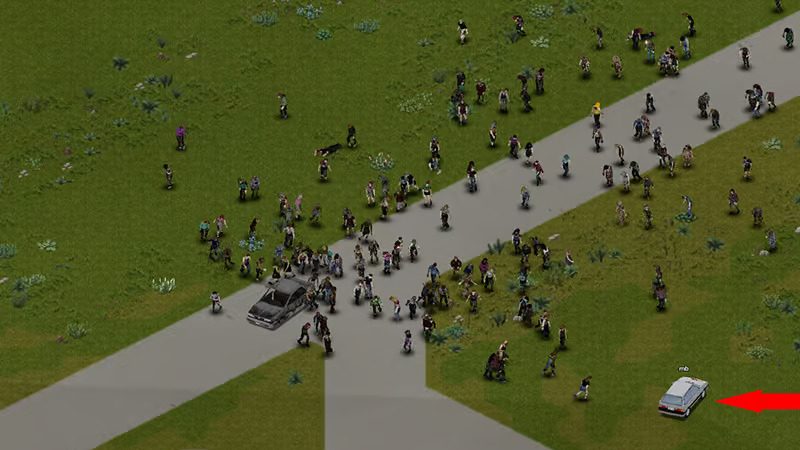
Zombies crossing a field in Project Zomboid
Map mods add fan-made towns and bases to the Build 42 world.
01Part

What map mods do

Everything on this page is about mods, not the base game. Map mods are fan-made add-ons from the Steam Workshop that add new towns, bases or countryside to the world, or rebuild parts of Knox County. Some fill empty land between vanilla towns, others add a whole new area at the edge of the map. They are separate from the official Build 42 map, which already added towns such as Ekron and others you can browse on the map page.

A map mod usually ships its own map folder, tile packs, loot zones, zombie spawn data and sometimes spawn points so you can start there. For general mod setup, see the mods guide.

The big catch on Build 42: maps built for Build 41 do not simply carry over. Authors on the Workshop say the mod structure changed and maps need to be re-exported with Build 42 map tools, so many well-known maps are still Build 41 only. Read each Workshop page before you subscribe.

02Part

Installing and enabling map mods

For single player or co-op hosted from the menu:

  1. Subscribe to the map on the Steam Workshop and let Steam download it.
  2. Check the Workshop page for a Build 42 version and any required tile pack or framework mod. Subscribe to those too.
  3. In the main menu, open Mods and set the map mod and its dependencies to active.
  4. Start a new game. If the map adds spawn points, pick it on the spawn screen (see starting locations).

Load order matters for maps. Where two maps cover the same cells, the one higher in the map list wins, and the base map, Muldraugh, KY, should stay at the bottom so it does not cover modded changes. Tile packs should load before the maps that use them.

Before choosing settings in sandbox options, confirm the map is listed as active. Changing the mod list on the menu does not change saves you already made.

03Part

Map mods on a server

A dedicated server needs three entries in its server settings file, each separated by semicolons. Full setup is on the hosting a server page.

SettingWhat goes in itExample
WorkshopItems=Steam Workshop number of every mod1234567890;2345678901
Mods=Mod ID from each mod (a text name, not the number)ModA;ModB
Map=Map folder names, base map lastMapFolder;Muldraugh, KY

The Mod ID and the map folder name are listed on each Workshop page, and one Workshop item can contain several Mod IDs. Mixing up the Workshop number and the Mod ID is the most common cause of a "required mod not found" error. Earlier Build 42 multiplayer versions wanted a backslash in front of each Mod ID; a current hosting guide says that is no longer needed (one source). Restart the server after every change and back up the world first. Players then download the same items when they join (see multiplayer).

04Part

Popular map mods and Build 42 status

Status below comes from each Workshop page, its comments and fan sites as of 14 November 2026, during the 42.22.x builds. Authors update often, so check again before you start a long run.

Map modWhat it addsBuild 42 status
Raven CreekLarge city with hospital, police stations, port and military areaAuthor's version not marked for B42; an unofficial B42 reupload exists, with only player reports that it runs on 42.21
Bedford FallsTown with mansion, roads and a military baseNot updated; author said maps must be re-exported with B42 tools. Last update Dec 2021 (one source)
Fort RedstoneWalled military base northwest of RosewoodNot compatible; author put the B42 port on hold
GrapeseedSmall town with shops, bar, gym and easter eggsA "B42 Unstable Remake" is listed, Mod ID 42Grapeseed; layout differs from the B41 map
Eerie CountryRural county south of MuldraughListed as Build 41 by fan sites; no confirmed B42 version
South MuldraughShops and loot south of Muldraugh, links toward Eerie CountryNo B42 version; players were still asking for one in Nov 2026
PitstopRoadside stop areaNot verified for this page

Two helper mods are worth knowing. Map Mod Manager shows which cells each map uses, checks for overlaps and handles load order; its change notes show Build 42 updates through 2026. More Maps [B42] adds readable map items for newer towns, but comments through October 2026 report the maps cannot be read and some crashes, so treat it with care. For the vanilla paper maps, see in-game maps.

05Part

Compatibility problems and fixes

ProblemLikely causeFix
Map does not appear at allBuild 41 only map, or missing from the map listCheck the Workshop page for a B42 version; confirm the folder is in the Map list
Buildings cut in half or floatingTwo maps use the same cellsRemove one map, or move the one you want higher in the map order
Missing or pink tilesTile pack not active or loads after the mapEnable the tile pack and load it before the map
"Required mod not found" on a serverWorkshop number and Mod ID mixed upPut numbers in WorkshopItems and text IDs in Mods
Mods disabled after a game updateBuild 42 can switch off mods after updatesRe-check the active list on the save before loading

Opinion Add map mods one at a time and test each on a throwaway world before your main save. Several big maps loaded together also raise load times and memory use; the performance guide covers settings that help.

06Part

Adding a map to an existing save

You can enable a mod on a save you already have: back up the save folder, then go to Load, select the save, choose More, then Choose Mods, and set the mod to active. Give it an in-game day to settle.

The catch is that areas you have already visited were saved as they were. Content from a new map mod generally shows up only in parts of the world you have not loaded yet. A map that replaces cells you already explored can leave mismatched or broken areas, and removing a map mod mid-save is riskier still.

Opinion For any large map, starting a new world is the safe choice. If you must add one to a long save, pick a map that sits in land you have never visited, keep a backup, and drive there to check it loaded. Community guides describe resetting saved map areas so they regenerate, but we could not confirm the exact Build 42 steps, so do not delete save files without a backup. For more on what changed in Build 42, see the Build 42 guide.

07Part

Quick answers

Does Raven Creek work on Build 42?

The author's own Workshop version was not marked for Build 42 as of November 2026. An unofficial Build 42 reupload exists, and some players report it runs on 42.21, but that is not confirmed by the author.

Does Fort Redstone work on Build 42?

No. The Workshop description says it is not compatible with Build 42 yet, and the author has put the port on hold.

Can I add a map mod to my current save?

You can enable it under Load, More, Choose Mods, but new content usually only appears in areas you have not visited. Back up the save first, and start a new world for large maps.

Where does Muldraugh, KY go in the map list?

Keep it last. Maps higher in the list take priority where they overlap, so the base map at the bottom will not cover modded areas.

Why are buildings broken where two map mods meet?

Both mods use the same map cells. Remove one, or reorder the map list so the one you want is higher.

Do Build 41 map mods work on Build 42?

Usually not. Authors say maps need to be re-exported with Build 42 map tools, so look for a version marked for Build 42 on the Workshop page.

Build 42 status comes from Workshop pages, author comments and fan sites read on 14 November 2026; several Workshop pages could only be read in part, so check each map yourself before use. Sources: pzfans maps index · pzfans: adding mods mid-game · Host Havoc: Workshop maps · Raven Creek Workshop comments · Bedford Falls Workshop comments. Your game is the final word: if it disagrees with us, tell us and we will fix the page.