Latest
Oct 27 · 42.22 pre-release: ladders and crowbar break-insOct 23 · First-person mods are not officially supportedOct 21 · The Indie Stone on Java mods: download responsiblySep 28 · Build 42.21 Stable: zombie duplication fixesAug 26 · Security fixes on every branchAug 17 · Servers now handle up to 254 playersJul 29 · Build 42 goes Stable

Project Zomboid server admin guide

This page covers the staff side of a Build 42 multiplayer server. It explains the roles and what each can do, how to grant them, how to lock the server down, and how to use the admin panel and chat commands to keep order. Written for Build 42 (42.22), November 2026.

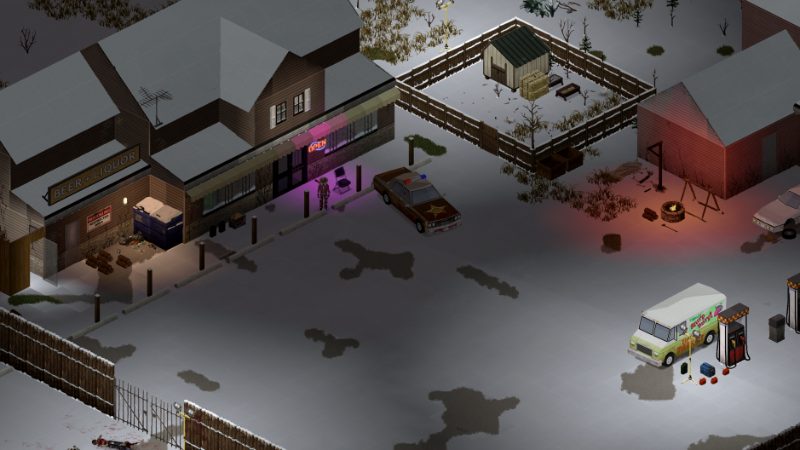
A town street in Project Zomboid
The admin panel opens from the round ADMIN button on the left of the screen.
01Part

Access levels and roles in Build 42

Build 41 gave staff a fixed set of access levels. Build 42 keeps the familiar names but turns them into roles, and each role is a bundle of capabilities that an admin can edit in the admin panel under See Roles. You can also create custom roles. The defaults below are a starting point, not a rule, because any server may have changed them.

RoleDefault powersNotes
adminEverythingThe only role sure to run every command
moderatorNearly everythingCannot edit roles, reload Lua files or change server options
overseerUnclear in Build 42See note below
gmTeleport, god mode, add XP and itemsBuilt for running events
observerTeleport, god mode, enter safehousesCannot add items or XP, or move other players
priorityLogin priority onlyFor trusted regulars on a full server
userNormal playerUse it to demote someone

Sources disagree on overseer. One host guide for 42.21 says the server rejects it even though the in-game help text still lists it, a role guide written for Build 42 leaves it out, and a 42.19 command list still includes it. Check the role list in your own admin panel before you plan around it. Hosting guides also note that no full role-to-command table has been published (one source), so test a new role on a spare account first.

02Part

Granting and removing staff roles

When a new dedicated server starts for the first time it asks for an admin password and creates the first admin account from it. Log in with that account, then promote your own player name and anyone else who needs a role.

  • In game chat: /setaccesslevel "Name" "admin". Role names are lower case.
  • From the server console or a host's web console, type the same command without the leading slash.
  • To demote, set the role to user.
  • The player should reconnect so the new role takes effect.

The old /grantadmin and /removeadmin shortcuts still appear in some guides. One host says they were removed many builds ago (one source), so use setaccesslevel. Keep the capability that changes roles (ChangeAccessLevel) on the admin role only. A 42.16 unstable fix closed a hole that let moderators raise themselves to admin, which is a good reason to stay on a current build. Server setup itself, ports and the first launch are covered in hosting a server.

03Part

Whitelists and passwords

A Project Zomboid server is either open or closed. On an open server anyone who can reach it makes an account on first join. Set Open=false in your server's .ini file and only accounts you create can log in, which is how a whitelist works in this game.

  • /adduser "name" "password" creates an account on a closed server.
  • /setpassword changes a user's password.
  • /removeuserfromwhitelist "name" removes an account.
  • /addsteamid and /removesteamid manage access by Steam ID.

If you run /adduser for someone who already joined an open server, you get a message that the name already exists. A server join password, set in the server settings, is a second, simpler lock that every player shares. Opinion: a private group should use both. The whitelist controls who has an account, and the password stops strangers from filling the login queue. See multiplayer and co-op for the player side of joining.

04Part

Kicking and banning

Kicks and bans can be done from chat or from See Users in the admin panel. In the panel you can only act on players at or below your own role.

CommandWhat it does
/kickuser "name" -r "reason"Removes the player; they can rejoin
/banuser "name" -ip -r "reason"Bans the account; -ip also bans the address
/unbanuser "name"Lifts a name ban
/banid SteamIDBans a Steam ID, even while offline
/unbanid SteamIDLifts a Steam ID ban
/banip IPBans an address; /unbanip lifts it
/voiceban "name" -trueMutes voice chat only; -false undoes it

The -ip and -r parts are optional. A Steam ID ban is the strongest of these because it follows the account rather than a name or a home connection that may change.

05Part

The admin panel, teleporting and spawning

Open the panel with the round ADMIN button in the icon strip on the left of the screen, below the CLIENT button. It only exists in multiplayer. If your role has no admin tools the button is hidden. A greyed-out button means your role lacks that one capability. The main screens are See Roles, See Users, Admin Power (your personal cheats such as god mode and invisibility), Sandbox Options, Item List, the zone tools, tickets, a scoreboard, statistics, a PvP log and server options. For testing in single player use debug mode instead.

  • /teleport "name" moves you to a player. /teleport "p1" "p2" moves p1 to p2, and Build 42 adds /teleportplayer for the same job.
  • /teleportto x,y,z moves you to map coordinates, which you can read from the map.
  • /additem "name" "Base.Axe" 1 gives an item. Leave out the name to give it to yourself. Item IDs are case sensitive, so look them up in the item database.
  • /addvehicle "Base.VanAmbulance" "name" spawns a vehicle by its full ID.
  • /godmode -true, /invisible -true and /noclip "name" -true are the usual staff powers. The godmodeplayer and invisibleplayer versions target someone else.
  • /createhorde count "name" spawns zombies near a player. Use it with care.
06Part

Safehouses, zones and server messages

When player safehouses are enabled, staff will sooner or later need to fix one. The chat tools are /releasesafehouse, /addtosafehouse and /kickfromsafehouse. The panel's See Safehouses screen is easier for checking who owns what. How players claim a building is covered in safehouses.

The panel also has a Zone Editor, a Safezone tool and a Non-PVP Zone tool for drawing areas on the map. A common use is a non-PvP trading spot or spawn area on a PvP server. No chat command for non-PvP zones was found, so draw them in the panel.

  • /servermsg "text" broadcasts a message to every player.
  • /save saves the world. /quit saves and shuts the server down, so warn players first.
  • /showoptions, /changeoption Name "value" and /reloadoptions view and change server options live.

For world rules such as loot and zombie numbers, see sandbox settings.

07Part

Moderation advice

Opinion: these habits keep a server calm.

  • Give out the smallest role that does the job. Most helpers need observer or gm, not moderator.
  • Post rules before people join and point to them in a /servermsg before restarts.
  • Kick first for a heat-of-the-moment problem. Ban by Steam ID for cheating or griefing, and write the reason with -r.
  • Use invisibility and teleport to watch a report before you act, and check the PvP log for fights.
  • Do not spawn gear for friends on a survival server. It shows in the economy and other players notice.
  • Back up the save before you test new mods or change roles, and re-check custom roles after a restart.
08Part

Quick answers

How do I make myself admin on my Project Zomboid server?

Log in with the admin account created when the server first started, then type /setaccesslevel "YourName" "admin" in chat. From the server console, use the same command without the slash, then reconnect.

How do I open the admin panel?

Click the round ADMIN button in the icon strip on the left side of the screen, below the CLIENT button. It only appears in multiplayer and only if your role has at least one admin tool.

Does the overseer role still exist in Build 42?

Sources disagree. One 42.21 host guide says the server rejects it, while an older 42.19 list still includes it. Check the role list in your own admin panel.

How do I whitelist a Project Zomboid server?

Set Open=false in the server .ini file, then create accounts with /adduser "name" "password". Only those accounts can log in.

What is the best way to ban a cheater?

Use /banid with their Steam ID, which works even when they are offline and follows the account. /banuser with -ip also blocks their address.

How do I spawn an item as an admin?

Type /additem "name" "Base.Axe" 1, or leave out the name to give it to yourself. Item IDs are case sensitive.

Commands and role defaults come from three Build 42 guides written for 42.19 to 42.21. Command syntax agrees across them; default role powers and the overseer role do not fully agree, and servers can change role powers. Sources: GameServerKings admin guide (42.21) · pzfans admin commands (42.19) · GuildOrder roles and capabilities · build42guide multiplayer. Your game is the final word: if it disagrees with us, tell us and we will fix the page.