Latest
Oct 27 · 42.22 pre-release: ladders and crowbar break-insOct 23 · First-person mods are not officially supportedOct 21 · The Indie Stone on Java mods: download responsiblySep 28 · Build 42.21 Stable: zombie duplication fixesAug 26 · Security fixes on every branchAug 17 · Servers now handle up to 254 playersJul 29 · Build 42 goes Stable

Day length and time in Project Zomboid

Day Length sets how long an in-game day lasts in real time, and it changes how the whole game feels. This page lists the options, explains what follows the game clock and what follows your own actions, and covers speed controls, sleep and the best choice for each play style. Written for Build 42 (42.22), November 2026.

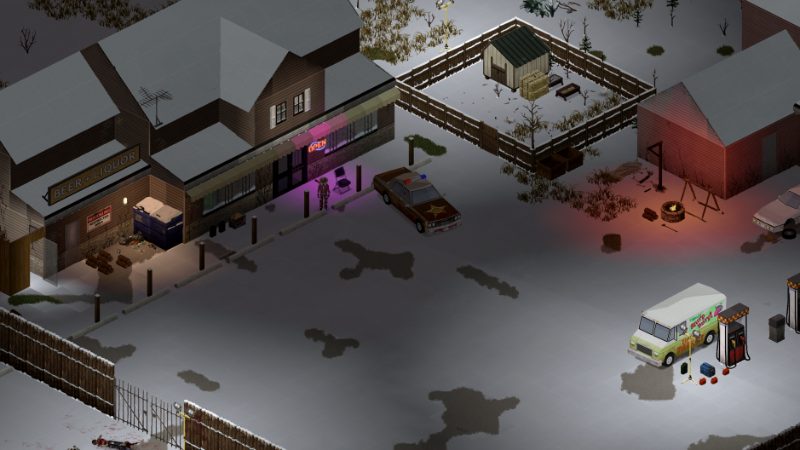
A town street in Project Zomboid
The clock in the corner runs on the Day Length you chose in sandbox.
01Part

The Day Length setting

Day Length sets how many real minutes one in-game day of 24 hours lasts. You find it under Time when you build a custom sandbox, and it can also be changed in the presets before a game starts. The default in every standard mode is one real hour per in-game day. Challenges use fixed rules and cannot be changed. The full list of other sandbox options is on the sandbox settings page.

The shortest choices are 15 and 30 minutes. Above one hour the list steps up an hour at a time, and the longest choice is a real-time day, where 24 game hours take 24 real hours. Guides agree on the short end and the real-time top, but none we read listed every step in between for Build 42, so check the dropdown in your build.

The math is simple: divide the day length in real minutes by 24 to get real minutes per game hour.

Day LengthReal time per game hourFeel
15 minutes37.5 secondsVery fast, needs and night arrive quickly
30 minutes1.25 minutesFast
1 hour (default)2.5 minutesStandard pacing
2 hours5 minutesRelaxed, popular with new players
3 hours7.5 minutesSlow
4 hours10 minutesVery slow
6 hours15 minutesLong sessions per day
Real time (24 hours)60 minutesClock matches real life
02Part

What scales with day length and what does not

The key idea is that the world runs on the game clock, while your own actions run on real time. Anything measured in game hours or game days takes longer in real minutes when you raise Day Length. Things that take a fixed number of seconds to perform, such as swinging a weapon, walking a street or most timed actions, take about the same real time, so they use up fewer game minutes.

SystemRuns onEffect of a longer day
Hunger, thirst, fatigueGame clockDrain slower per real minute, same per game day
Crop growthGame clockSame number of game days, more real time
Food spoilageGame clockSame game days to rot, more real time
Healing of woundsGame clockSame game hours to heal
Water and power shutoff, seasonsGame daysMore real time before they arrive
Generator fuel useGame hoursMore real time per tank
Skill XP per actionYour actionsUnchanged per action, so more XP per game day
Walking, fighting, most timed actionsReal timeUse up fewer game minutes

Sources agree that hunger, thirst, fatigue, crop growth and spoilage follow the game clock. Healing, fuel and cooking are less clearly documented, but they are tracked in game time in the item and health systems, so we expect them to follow the same rule. One Steam reply claims reading and sleeping take longer on longer days, while another player found reading and cooking unchanged; we list this under checks. The oven timer counts game minutes, so if cooking follows it, a meal on a 2-hour day takes twice the real time of the same meal on the default. See cooking, crops, food preservation and health for each system.

Skill XP does not change with Day Length. What changes is how much you can do between sunrise and sunset, so a longer day means more grinding per game day and faster progress against the calendar. That is a big part of why longer days feel easier: you reach useful skill levels before power and water go off. The skill leveling guide has the XP numbers.

03Part

Time speed controls

In single player you can change the game speed at any time with the buttons next to the clock or with the keyboard. The community key list gives F2 for pause, F3 for normal speed and F4 to F6 for three faster speeds, described there as 3, 10 and 20 times normal (one source). Rebind them in the Keyboard tab if needed; the controls page lists defaults.

Fast forward skips the waiting, not the danger. Zombies still move and needs still drop, so only speed up when you are safe indoors, for example while a long craft finishes or crops grow. In single player the game usually drops back to normal speed when a zombie comes into view. Fast forward and pause are not available in multiplayer, where time runs at the server's Day Length for everyone; see multiplayer.

04Part

Sleeping to pass time

Sleeping is the other way to skip hours. In single player the clock runs very fast while your character sleeps, so a full night takes a few real seconds whatever the Day Length. You can set an alarm, and waking early from a noise or a zombie is possible. The sleep page covers beds, fatigue and the sleeping pill and insomnia details.

In multiplayer, sleep does not speed up the shared clock. Servers can choose whether players can sleep at all and whether sleep is needed, so on many servers fatigue is turned off and night has to be lived through in real time. Long day lengths on a server mean long real nights, which is a reason some groups pick 2 to 4 hours rather than more. See hosting a server for the server-side options.

05Part

Best day length for each play style

Opinion these are starting points, not rules. Pair them with the presets on the recommended settings page.

Play styleSuggested Day LengthWhy
First game2 hoursMore real time to loot and learn before the first night and shutoff
Standard survival1 hourThe pacing the game is balanced around
Builders and farmers2 to 3 hoursLong projects finish before the season turns
Short challenge runs30 minutes to 1 hourNeeds, nights and hordes come fast
Co-op or servers2 to 4 hoursPlayers online at different times miss fewer days
Role-play4 hours or moreDays feel lived in, but nights get long

Very long days remove much of the time pressure. Looting a town before the power goes off becomes easy, and some players feel real time breaks the balance. If you want the slower feel without making the game trivial, raise Day Length and shorten the water and electricity shutoff settings to match. Longer days also mean longer nights in real time, and nights are when the game is most dangerous; see seasons for how daylight changes through the year.

06Part

Quick answers

How long is a day in Project Zomboid?

By default one in-game day lasts one real hour, so a game hour takes 2.5 real minutes. You can change this with the Day Length sandbox setting.

Does longer day length make crops grow slower?

Crops grow over the same number of game days, so they take longer in real time. Measured against the in-game calendar nothing changes.

Does day length affect skill XP?

No, XP per action is the same. A longer day gives you more real time to act, so you gain more XP per game day.

What day length should I use for my first game?

Many players start on 2 hours. It gives more time to loot and learn while keeping the game's basic pressure.

How do I speed up time in Project Zomboid?

In single player use the speed buttons by the clock or the fast forward keys, or sleep. Multiplayer has no fast forward.

Can I change day length in an existing save?

Sandbox options are normally set when the game is created. Some can be edited later through debug or server tools, but test on a copy of the save first.

Day Length options and the default come from several guides that agree; what scales with time is partly from guides and partly from player reports, and is marked where unsure. The speed key multipliers come from one wiki table. Sources: Dot Esports: day length explained · Gamer Empire: how long is a day · XGamingServer: sandbox guide · PZwiki: Options and keys · Steam discussion on real-time days. Your game is the final word: if it disagrees with us, tell us and we will fix the page.