Latest
Oct 27 · 42.22 pre-release: ladders and crowbar break-insOct 23 · First-person mods are not officially supportedOct 21 · The Indie Stone on Java mods: download responsiblySep 28 · Build 42.21 Stable: zombie duplication fixesAug 26 · Security fixes on every branchAug 17 · Servers now handle up to 254 playersJul 29 · Build 42 goes Stable

Troubleshooting Project Zomboid Build 42

This page walks through the problems Build 42 players report most often, from a game that will not start to multiplayer connection errors. It starts with where the log files live, because almost every fix begins with reading console.txt, then gives a fix for each common fault. Written for Build 42 (42.22), November 2026.

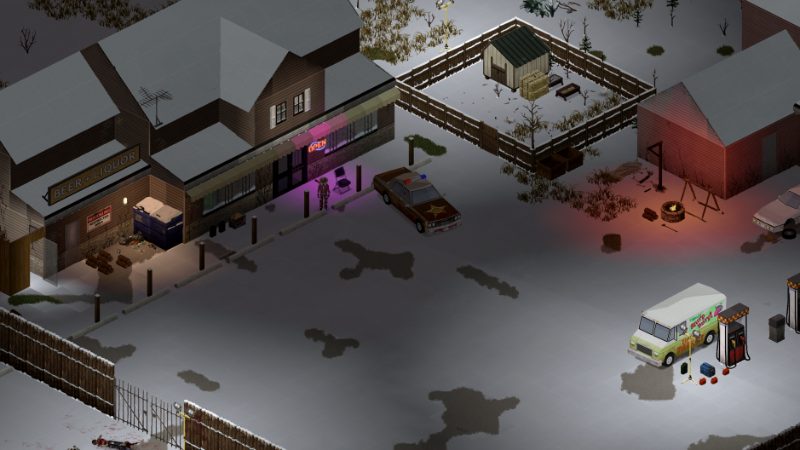
A town street in Project Zomboid
Most Build 42 fixes start with the console.txt file in your Zomboid folder.
01Part

Where the log files are

Project Zomboid writes its logs to a Zomboid folder in your user profile, not to the Steam install folder. The same folder holds your saves and server settings. Close the game before you copy anything from it.

SystemMain logOlder logs
Windows%UserProfile%\Zomboid\console.txt%UserProfile%\Zomboid\Logs\
macOS~/Zomboid/console.txt~/Zomboid/Logs/
Linux~/Zomboid/console.txt~/Zomboid/Logs/

console.txt is overwritten every time the game starts, so copy it right after a crash. The game also writes logs.zip in the same folder, which is the file to attach to a bug report. Dedicated servers write dated files such as DebugLog-server.txt into Logs.

To read the log, reproduce the problem once, quit, and open console.txt in a plain text editor. Search for the first line containing ERROR, Exception, Caused by or stack traceback. The first error is usually the cause; the hundreds of lines after it are often knock-on noise. A mod folder name or Workshop ID near that first error points straight at the culprit.

02Part

Game will not start or crashes

Work through these in order and test after each step.

  1. Update your graphics driver from NVIDIA, AMD or Intel directly. An EXCEPTION_ACCESS_VIOLATION in console.txt that names nvoglv64.dll or atig6pxx.dll points to the driver (one source).
  2. Turn off the Steam overlay and other overlays (Discord, recording tools) for the game.
  3. Verify game files in Steam (Properties, Installed Files). This does not touch your saves.
  4. Start a new world with no mods. If that works, the problem is a mod or the save, not the install.
  5. Make sure you launch the 64-bit client. Old 32-bit batch files are not a fix.

A black screen, often with menu sound, is usually a display setting the game cannot apply. Run in windowed or borderless mode at a fixed resolution and keep the game on your main monitor. One guide suggests deleting options.ini in the Zomboid folder to reset display settings (one source); rename it instead of deleting so you can put it back. On Windows, the high DPI override in the executable's Compatibility tab fixes a clipped interface. Check your build against patch notes, since some 42.21 black screen reports had no confirmed fix at the time of writing.

03Part

Out-of-memory errors and raising memory

A Java heap or OutOfMemoryError line in console.txt means the game ran out of the memory it is allowed to use, not out of system RAM. Raise the limit only when the log shows this error, and update the game first.

SystemFile to editWhat to change
WindowsProjectZomboid64.json in the Steam game folderThe -Xmx entry in vmArgs
macOSProject Zomboid.app/Contents/Info.plistThe -Xmx entry in JVMOptions
LinuxThe 64-bit JSON launcher config in the game folderThe -Xmx entry in vmArgs

Sources disagree on the stock value. pzfans lists -Xms1800m and -Xmx2048m on Windows and -Xmx3072m on macOS, while another guide shows -Xmx3072m in the Windows batch file. Open your own file and note what is there before you edit it.

Back up the file, change for example -Xmx2048m to -Xmx4096m, save, and launch from Steam. Raise it in steps of 1 to 2 GB, keep -Xms at or below -Xmx, and never set -Xmx above the RAM you actually have. Typing memory flags into Steam launch options does not change the client heap, according to two sources. Steam updates and file verification can restore the original file, so check it after each patch.

Opinion On a 16 GB machine, 4 GB is a sensible first try. Going much higher rarely helps and can make pauses longer.

04Part

Stuttering and lag

Stutter in single player usually comes from graphics load, heavy mods or the game loading new map areas while you drive. Lower lighting quality, water, 3D corpses and VSync first, then retest on the same route so the comparison is fair. Temporarily disable large map, interface and texture mods. On laptops, plug in and use a high-performance power plan. Close browsers and other heavy background apps.

For a full list of settings and their cost, see the performance guide. If the stutter only appears in large hordes, the sandbox settings for zombie population are worth a look on a new world.

05Part

Mod conflicts and the red error counter

The red number in the corner of the screen counts Lua errors the game has caught. It is not an official error code. Open console.txt, find the first error and look for a mod path or Workshop ID.

  • Disable the suspect mod for that save from the Load screen (More, then Mods) and test once.
  • If you cannot tell which mod is at fault, disable half the list, test, and keep halving until one is left.
  • Unsubscribing on the Workshop does not remove a mod from an existing save's mod list. Disable it on the save itself.
  • Many mods built before a Build 42 patch break after it. The loadstring error seen after 42.20.4 was a sandbox change that 42.21 reversed, according to build42guide.

Loading a save without mods it was built with can damage it, so back up the save folder before testing. More on load order and compatibility is in the mods guide.

06Part

Controller and multiplayer problems

Controller not detected. Plug the pad in before you start the game. Go to Options, then Controller, tick your pad, and press Reload .config files if it is missing from the list. If a mod interferes after a patch, reset controller settings to defaults. The controller guide and Steam Deck page cover layouts.

Cannot join a server. Most connection errors are version or mod mismatches.

Message or symptomLikely fix
Version mismatchPut client and server on the same Steam branch and build
Workshop item version is differentRestart Steam, let downloads finish, host restarts server
Error downloading workshop itemCheck the item still exists and you have disk space
Timeout or no responseOpen the server ports (often 16261 and the UDP port) on firewall and router
Port already in useStop the duplicate server process
Stuck on loading mapUpdate both sides to the current build

A VPN is not a reliable fix. Hosting details are on multiplayer and hosting a server.

07Part

Problem and fix summary

ProblemFirst thing to try
Crash on launchUpdate GPU driver, disable overlays, verify files
Black screenWindowed mode, main monitor, reset options.ini
OutOfMemoryErrorRaise -Xmx in the launcher config in 1 to 2 GB steps
StutterLower lighting and corpses, remove heavy mods
Red error counterFind the first error in console.txt, disable that mod
Controller ignoredTick it under Options, Controller
Cannot join serverMatch branch and mods, open ports
Save will not loadRestore a full backup of the save folder

If none of this helps, the debug mode page explains how to get more detail, and the FAQ collects shorter answers.

08Part

Quick answers

Where is console.txt in Project Zomboid?

It is in the Zomboid folder in your user profile: %UserProfile%\Zomboid on Windows and ~/Zomboid on macOS and Linux. It is overwritten each launch, so copy it right after a crash.

How do I give Project Zomboid more RAM?

Edit the -Xmx value in ProjectZomboid64.json on Windows or Info.plist on macOS, in steps of 1 to 2 GB. Steam launch options do not change the client heap.

Why does Project Zomboid show a black screen?

Usually a display setting or driver problem. Try windowed mode on your main monitor, update the GPU driver, disable overlays and verify files.

What does the red error number mean?

It counts Lua errors the game caught, usually from a mod. Read the first error in console.txt to find which mod caused it.

Why can I not join my friend's server?

Most often you are on different Steam branches or builds, or a Workshop mod has not finished updating. Match the build, restart Steam and check the server ports.

Does verifying game files delete my saves?

No. Saves live in the Zomboid user folder, which Steam verification does not touch. It can reset your edited memory settings, though.

Paths, file names and fixes come from pzfans, build42guide and AxeeTech, written for 42.19 to 42.21. Default memory values differ between sources, so check your own launcher file. Sources: pzfans troubleshooting · pzfans RAM guide · build42guide error fixes · AxeeTech crash fix · pzfans controller guide. Your game is the final word: if it disagrees with us, tell us and we will fix the page.